
Free AI Tools for Prompts and Skills, No Signup
Small, focused tools that help you get better answers from ChatGPT, Claude and Gemini. Each one explains what it does and where your text goes.
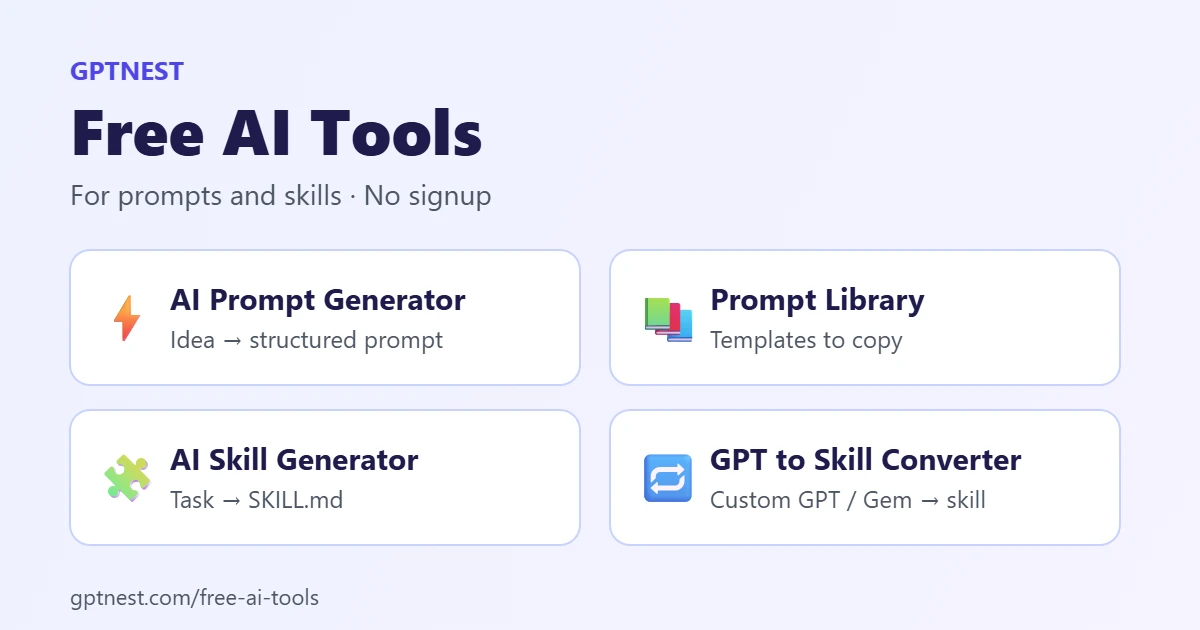
These free AI tools cover the two jobs most people repeat every day with an assistant: writing a good prompt, and turning a prompt that works into a reusable skill. None of them needs an account, and each page says plainly whether your text stays in your browser or goes to an AI model.
We build one tool at a time and add it here only when it has a full guide: how it works, what we checked and what it cannot do. This page is the index, with a short guide to picking the right tool for your task.
⚡ Which free AI tool do you need?
- You have an idea but no prompt: use the AI Prompt Generator.
- You want a ready prompt to copy: browse the Prompt Library.
- You repeat the same task every week: turn it into a skill with the AI Skill Generator.
- You have a custom GPT or a Gem: move it to a skill with the GPT to Skill Converter.
All Free AI Tools on GPTNest
Four tools today, grouped by the job they do
Every tool below is free to use without signing up. Two of them call an AI model and have a small daily limit. The other two run entirely in your browser and have no limit at all. Click a card to open the tool; each page starts with the tool itself and explains how to use it further down.
✍️ Prompts
AI Prompt Generator
Turns a short idea into a structured prompt for ChatGPT, Claude or Gemini, or improves a prompt you already have.
Free AI Prompt Library
Hand-written prompt templates you can search, filter by use case or model, and copy.
🧩 Skills
AI Skill Generator
Describe a task you repeat and get a SKILL.md file in the open Agent Skills format.
GPT to Skill Converter
Moves a custom GPT or a Gemini Gem into a Claude skill and a Gemini skill, in your browser.
The Free AI Tools Side by Side
What each one does, where it runs and its limits
| Tool | What you give it | What you get | Runs where | Limit |
|---|---|---|---|---|
| AI Prompt Generator | A topic or a rough prompt | A structured prompt in the format of your target AI | AI model (Gemma 4) | 10 a day, shared |
| Prompt Library | A search or a filter | Ready prompt templates to copy | Your browser | None |
| AI Skill Generator | A description of a repeated task | A SKILL.md file | AI model (Cloudflare Workers AI) | 10 a day, shared |
| GPT to Skill Converter | Your GPT or Gem’s name, description and instructions | A SKILL.md zip and the fields of a Gemini skill | Your browser | None |
“Shared” means the Prompt Generator and the Skill Generator count against the same daily allowance of 10 uses, which resets at midnight UTC. The limit keeps these free AI tools free: every AI call has a real cost, and a cap stops one script from using the whole budget.
Pick a Free AI Tool by Task
Ten common jobs and where to start
If you are not sure where to begin, find your task in this table. The tip column is the one thing that most often makes the difference between a vague answer and a useful one.
| Your task | Start with | Tip |
|---|---|---|
| Write a blog post outline | Prompt Library (Writing) | Give the reader, the goal and the length you want |
| Draft a marketing email | Prompt Library (Marketing) | Name the product, the audience and one clear call to action |
| Review or explain code | Prompt Generator, Technical tone | Paste the error message and say which language and version you use |
| Summarize meeting notes every week | AI Skill Generator | Ask for owners and deadlines, and for [TBD] when one is missing |
| Reply to customer support tickets | AI Skill Generator | Add your refund and tone rules as “never” and “always” lines |
| Plan a research report | Prompt Generator, RISEN | Ask for sources and for what is uncertain |
| Write social media posts | Prompt Library (Social Media) | State the platform and the length limit |
| Improve a prompt that gives weak answers | Prompt Generator, “Improve my prompt” | Paste a bad answer too, and say what was wrong with it |
| Keep a custom GPT you built | GPT to Skill Converter | Copy the conversation starters as well; they become trigger examples |
| Use the same assistant in Claude and Gemini | GPT to Skill Converter, “A prompt I reuse” | Test the result in both, in a new chat each time |
Notice the pattern: one-off creative tasks start in the library or the generator, and anything you do every week ends up as a skill. That is the whole idea behind this set of free AI tools.
Free AI Tools for Writing Prompts
Start from an idea, or start from a template
AI Prompt Generator
Use it when you know what you want but not how to ask for it. You type a topic, pick a framework and a target AI, and it writes a full prompt with a role, context, task, constraints and output format. It has two modes: “Create from a topic” and “Improve my prompt”, which rewrites a prompt you already use.
The framework is the part most people skip. The default covers role, context, task, constraints and tone. CO-STAR suits writing for a specific audience, RISEN suits multi-step tasks, and RTF (role, task, format) gives a short prompt for quick jobs. The target AI mainly changes the format: Markdown for ChatGPT and Gemini, XML tags for Claude.
Good for: a first draft of a prompt you will reuse, or fixing a vague one-line prompt. Not for: getting the final answer itself. The tool writes the prompt; you run it in your own assistant.
Free AI Prompt Library
Use it when you want something that already works. The library holds hand-written templates in 12 categories, including marketing, coding, writing, business, research, social media and SEO. You can search, filter by category and filter by AI model, then copy a prompt in one click.
Each template has placeholders in square brackets. Replace them with your own details before you paste the prompt, or the assistant will invent them. A prompt for “a B2B SaaS product” gives a much better answer once you name the product and its buyers.
Good for: common tasks and learning what a strong prompt looks like. Not for: very specific work; there, the generator or your own prompt will do better.
For the ideas behind both tools, read the Prompt Engineering Guide.
Free AI Tools for Building Skills
Make a prompt you repeat load on its own
A skill is a saved set of instructions that an assistant loads by itself when a request matches it. Claude and Gemini both support skills, and Claude’s follow the open Agent Skills format: a folder with a SKILL.md file that holds a name, a description and the instructions. Once a skill is installed, you no longer paste the same long prompt every time. Anthropic explains how to turn them on in Use skills in Claude.
AI Skill Generator
Use it when you have a task but no instructions yet. Describe what the skill should do, the input you will give and the output you expect, plus anything the AI must never do. The generator writes the name, a description that says when to use the skill, and step-by-step instructions, ready to upload.
Good for: a first skill, or a skill for a task you have never written down. Not for: skills that need scripts or connections to other apps; those you finish by hand.
GPT to Skill Converter
Use it when the instructions already exist in a custom GPT or a Gemini Gem. Personal ChatGPT accounts can no longer create custom GPTs, and Google began turning Gems into skills on November 17, 2026. The converter moves your text into a Claude SKILL.md zip and the three fields of a Gemini skill, warns you about what does not carry over, such as Actions and knowledge files, and gives you test prompts.
Good for: keeping work you already tuned. Not for: GPTs you do not own, since their instructions are hidden.
To see how the same skill behaves in each assistant, read our Claude vs Gemini skills test. For a full walkthrough, see How to Create a Claude Skill.
From Prompt to Skill: A Simple Workflow
How the free AI tools fit together
The tools are built to be used in order. A one-off question needs no tool at all. A task you repeat deserves a good prompt, and a prompt you paste every week deserves to become a skill.
- Find or write the prompt. Start from a template in the Prompt Library, or let the Prompt Generator draft one from your idea.
- Test it on real work. Run it three or four times on real inputs in your own assistant. Fix what goes wrong: missing details, wrong format, invented facts.
- Turn it into a skill. Paste the tested prompt into the GPT to Skill Converter as “A prompt I reuse”, or describe the task to the Skill Generator.
- Write a description that triggers. The assistant reads only the name and description until the skill runs, so say what the skill does and when to use it, with the words you really type.
- Install and check. Upload the skill, open a new chat and send a matching request without naming the skill. Then send an unrelated one and check that the skill stays quiet.
Here is what that looks like in practice. Say you write a weekly status update for your manager. Week one, you ask the Prompt Generator for a status update prompt and fill in your projects. Week two, you notice the answer always buries the blockers, so you add “List blockers first, in bold” to the prompt. Week three, the prompt works without edits, so you paste it into the converter as “A prompt I reuse”, name the skill “weekly-status-update” and add two starters such as “Write my status update from these notes”. From then on, you paste your notes and the skill does the rest, in Claude or in Gemini.
Steps 2 and 5 are the ones people skip, and they are the ones that decide whether the result is useful. A tool can format your instructions; only testing on your own work shows whether they are right.
Where Your Text Goes
Browser-only tools versus AI-powered tools
Free AI tools fall into two groups, and the difference matters if you paste work material.
- Browser-only: the Prompt Library and the GPT to Skill Converter. Everything happens on your device. Nothing you type is sent to GPTNest or to an AI model, and closing the tab clears it.
- AI-powered: the Prompt Generator and the Skill Generator. Your topic or task description is sent to an AI model, run on Cloudflare Workers AI, to produce the result. Each tool’s page explains this next to the input box.
A simple rule works for both: do not paste passwords, API keys, client names or anything confidential into any online tool, ours included. Describe the task in general terms, generate the prompt or skill, then add the private details in your own assistant.
The tools also never ask for your API key or your login to ChatGPT, Claude or Gemini. If a free tool asks for one, treat that as a warning sign.
How We Build and Check Each Tool
The same rules for every tool we add
More tools are on the way, and we add them one at a time. Each new tool page has to meet the same standard before it appears in this list:
- A clear job. One task, done well, that the other tools here do not already cover.
- A worked example. Real input and the real output, so you see what you will get before you type anything.
- What we checked. What we tested and when, and just as clearly, what we did not test.
- Stated limits. A “what this tool does not do” section, because a tool that overpromises wastes your time.
- Privacy in plain words. Whether your text leaves your browser, and where it goes if it does.
- Sources. Links to the official documentation for any rule, price or policy the tool relies on, with the date we checked them.
We also do not build tools whose main use is to deceive, such as tools sold to get AI text past detectors. If a tool here gives a wrong result or a page is out of date, tell us on the contact page and we will fix it.
Looking for AI apps from other companies rather than our own tools? The AI Tools Directory compares 10 popular assistants and their free plans.
Frequently Asked Questions
Short answers
Are these AI tools really free?
Yes. All four free AI tools work without an account or payment. The Prompt Generator and the Skill Generator share a limit of 10 uses a day, which resets at midnight UTC. The other two have no limit.
Do I need to sign up?
No. None of the tools asks for an email, an account or an API key.
Which tools send my text to an AI model?
The AI Prompt Generator and the AI Skill Generator. The Prompt Library and the GPT to Skill Converter run only in your browser.
Do the prompts work in ChatGPT, Claude and Gemini?
Yes. The Prompt Generator lets you pick the target AI and adjusts the format, and the library prompts are written to work in any major assistant.
What is the difference between a prompt and a skill?
A prompt is text you paste each time. A skill is saved instructions that the assistant loads by itself when a request matches its description, so you stop repeating the same prompt.
Will you add more free AI tools?
Yes, one at a time. Each new tool gets a full page with a worked example, its limits and its privacy details before it is listed here.
⚡ Start here
Write a Better Prompt in One Minute
Type your idea, pick your AI, and get a structured prompt you can paste straight into ChatGPT, Claude or Gemini.