
GPT to Skill Converter: Turn a Custom GPT or Gem into a Claude Skill
Paste your instructions, get a SKILL.md zip for Claude and a filled Gemini skill form. Free, no signup, nothing stored.
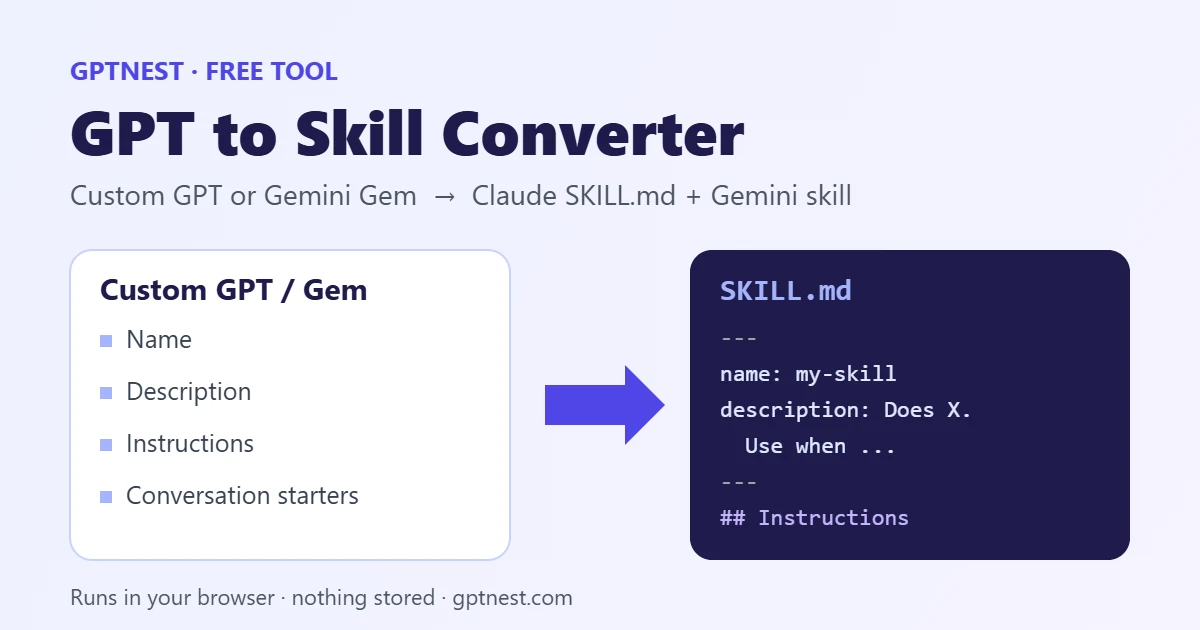
This GPT to skill converter moves a custom GPT or a Gemini Gem into the open Agent Skills format in a few seconds. You paste the name, description and instructions, and it builds a SKILL.md file for Claude, fills the three fields of a Gemini skill, flags what will not carry over and gives you test prompts.
Why now? Personal ChatGPT accounts can no longer create custom GPTs, and Google began turning Gems into skills on November 17, 2026. If you spent hours tuning an assistant, a skill is where those instructions can keep working.
⚡ The short version
- What it does: converts a custom GPT, a Gem or any long prompt into a Claude skill (SKILL.md in a zip) and a Gemini skill (name, description, instructions).
- Privacy: the conversion runs in your browser. Your text is not sent to GPTNest or to any AI model.
- What doesn’t carry over: Actions, knowledge files and built-in tools such as web search. The tool lists each one with a fix.
- After converting: upload the zip in Claude under Customize, then Skills, and run the test prompts the tool gives you.
The GPT to Skill Converter
Runs in your browser. Click “Load example” to see it work first.
Choose where your instructions come from, paste them, tick the features your assistant used, then click Convert. Three tabs appear: the Claude skill, the Gemini skill and a short test plan.
1. Paste your Custom GPT or Gem
🔒 Runs entirely in your browser. Nothing you paste is sent to a server or stored.
2. Your skill
In Gemini: menu, More, Customize, Skills tab, Create, Create manually. Paste each field.
Run each request in a new chat, without naming the skill. The first ones should use it; the last two should not.
Claude shows a “skill loaded” label when a skill runs. Gemini shows nothing, so check the answer format.
How Each GPT Field Becomes a Skill Field
The mapping the converter follows
A custom GPT, a Gem and a skill all hold the same core: a name, a short description and a block of instructions. The difference is how the assistant uses them. A skill’s name and description are always visible to the model, while the instructions load only when a request matches. That is why the converter spends most of its effort on the description.
| Custom GPT or Gem | Claude skill (SKILL.md) | Gemini skill |
|---|---|---|
| Name | name: lowercase letters, numbers and hyphens, up to 64 characters | Name field, as written |
| Description | description: what the skill does and when to use it, up to 1,024 characters | Description field |
| Instructions | Markdown body under “Instructions” | Instructions field |
| Conversation starters | “Example requests” section and test prompts | Used in the test plan |
| Knowledge files | Not included. Add them to the skill folder yourself | Not included |
| Web, code, image tools | A note in the file. The app settings decide | A note in the test plan |
| Actions | Flagged. No direct equivalent | Flagged |
The converter also cleans the text on the way. It removes “claude” and “anthropic” from the skill name, because the Agent Skills rules reserve them, and drops “GPT” or “Gem” from the name too. It replaces phrases like “this GPT” or “this Gem” with “this skill” in the instructions. It warns you when the text looks like it contains an API key, so you don’t ship a secret inside a skill file.
Worked Example: Two Real Conversions
Exact output from the tool, November 22, 2026
Here is what the GPT to skill converter produced for two inputs. The first is the built-in example, a meeting-notes GPT with a description and three conversation starters. Click “Load an example” in the tool to get the same result.
---
name: meeting-notes-helper
description: "Turns messy meeting notes into a clean summary with decisions, action items and open questions. Use this skill when the user asks for this kind of help, for example: 'Clean up these meeting notes', 'What did we decide, and who does what?', 'Turn this call transcript into action items'."
---

# Meeting Notes Helper

## Instructions
...
This skill never invents facts that are not in the notes.
Three things changed on the way. The name became a valid skill name, meeting-notes-helper. The description gained a “when to use it” sentence built from the starters. And the last instruction, which said “This GPT never invents facts”, now says “This skill”. The tool gave no warning, because nothing was missing. The instructions themselves stayed word for word, so the skill behaves like the GPT you already tested.
The second input was deliberately messy: a GPT named “Claude Email Writer GPT”, no description, no starters, instructions that mention an uploaded brand-voice PDF and a CRM Action, with only the Actions box ticked. The tool returned the name email-writer and five warnings:
- “claude” is a reserved word, so it was removed from the name.
- No description was given, so one was built from the first sentence. It needs editing.
- No conversation starters, so the skill has no trigger examples yet.
- The instructions mention files, but “Knowledge files” was not ticked.
- Actions are not converted, with a note added at the end of SKILL.md.
That second case is the more common one in practice. Most GPTs were built in a hurry, with an empty description and files that nobody remembers. The warnings are the checklist: fix each one before you upload, and the skill will behave far more like the original GPT did.
Why Convert in November 2026
Custom GPTs and Gems are both moving
- ChatGPT: OpenAI’s help center says new GPT creation and publishing are not available on personal accounts (Free, Go, Plus and Pro). It plans to retire custom GPTs and points users to plugins.
- Gemini: Google started converting Gems into skills automatically on personal accounts on November 17, 2026. Workspace business accounts follow in March 2027 and education accounts in June 2027.
- Claude: skills are available on the Free, Pro and Max plans as well as Team and Enterprise, with code execution turned on.
Skills also travel better than GPTs. They follow an open format, the Agent Skills specification, which means the same SKILL.md file can work in Claude apps, Claude Code and other tools that read the format. A custom GPT only ever worked inside ChatGPT.
Your Gems already became Gemini skills, so for Gemini users the main reason to run this GPT to skill converter is to take the same instructions to Claude. For ChatGPT users, it is a way to keep the work before the GPT disappears. Dates can move, so check the notice in your own account.
How to Convert a Custom GPT to a Claude Skill
Six steps, about five minutes
- Copy your GPT’s text. In ChatGPT, open your GPT, choose Edit, then the Configure tab. Copy the name, description, instructions and conversation starters. You can only do this for a GPT you own: other people’s instructions are hidden.
- Or copy your Gem’s text. In Gemini, open the Gem or the skill it became and copy its instructions.
- Paste and convert. Pick the source in the converter, paste each field, tick the features the assistant used (files, web search, code, images, Actions) and click Convert. Read every warning.
- Add it to Claude. Check that code execution is on under Settings, then Capabilities. Download the zip, go to Customize, then Skills, and upload it. Don’t unzip it first: Claude expects the zip with the skill folder inside.
- Add it to Gemini (optional). Open the menu, then More, Customize, the Skills tab, Create and Create manually. Paste the name, description and instructions from the Gemini tab.
- Test it. Open a new chat and send the prompts from the Test plan tab. Check that the skill runs on the matching requests and stays quiet on the two that should not trigger it.
In Claude, an answer that used a skill shows a small label, so you can see whether it ran. Gemini showed no such sign in our Claude vs Gemini skills test, so judge Gemini by the answer itself.
What Does Not Carry Over, and How to Fix It
The parts a converter cannot move for you
| GPT feature | What happens | What to do |
|---|---|---|
| Knowledge files | Not included in the zip | Unzip, add the files in a folder next to SKILL.md, name them in the instructions, zip again |
| Actions (API calls) | No direct equivalent | Use a Claude connector for that service, or describe the manual step in the instructions |
| Web search | Depends on the app, not on the skill | Keep the instruction, then turn web search on in your chat |
| Code interpreter | Claude skills already need code execution | Nothing, once code execution is on |
| Image generation | Not a skill feature | Keep text-only steps, or use an image tool separately |
| Store listing, ratings, chat history | Lost | Save anything you need before the GPT is retired |
Never paste an API key into a skill to replace an Action. Skill files are plain text, they get shared, and anyone who opens the zip can read them.
Write a Description That Triggers
The one field worth editing by hand
Until a skill runs, the assistant sees only its name and description. A GPT never needed a good description, because you opened it on purpose. A skill does: if the description is vague, the skill sits unused. Anthropic’s guidance asks for the third person and for both what the skill does and when to use it.
| Weak description | Strong description |
|---|---|
| Helps with meetings. | Turns rough meeting notes or transcripts into a summary with decisions, action items (owner and deadline) and open questions. Use when the user pastes meeting notes and asks to summarize them or list next steps. |
| I am your friendly email assistant! | Drafts and shortens work emails in a polite, direct tone. Use when the user asks to write, reply to or rewrite an email. |
The converter writes a first version in that shape and adds your conversation starters as trigger examples. Read it and add the words your users really type, including other languages if they use them.
How We Checked the Converter
What we tested, and what we didn’t
We checked the GPT to skill converter’s rules and the files it produces. In November 2026 we ran it on the built-in example and on edge cases: an empty name, a name containing “Claude”, instructions longer than 8,000 characters, text with a fake key pattern and a GPT that used Actions. Each case raised the expected warning or note.
We also tested the zip files with a standard archive integrity check. Each one held a folder named after the skill with a SKILL.md inside, which is the layout Claude’s upload asks for.
What we did not do for this page: upload every generated skill to Claude and Gemini. For a real run of one skill on both, see our Claude vs Gemini skills test, where Claude applied the skill on 4 of 4 sets of notes and Gemini on 3 of 4.
What This Tool Does Not Do
Limits, stated plainly
- The GPT to skill converter doesn’t read a GPT from a link. You paste text you own.
- It doesn’t rewrite your instructions with AI. It applies fixed rules, so the same input always gives the same output.
- It doesn’t move knowledge files or Actions.
- It can’t guarantee that a skill triggers. Only testing tells you that.
- It doesn’t store anything. Close the tab and the text is gone.
- GPTNest is not affiliated with OpenAI, Google or Anthropic.
Need a skill from scratch rather than a conversion? The AI Skill Generator writes one from a short description of your task.
Frequently Asked Questions
Short answers
Can I convert a custom GPT to a Claude skill for free?
Yes. This GPT to skill converter is free, needs no account and runs in your browser. Claude skills are also available on the Free plan, with code execution turned on.
Does the converter work with Gemini Gems?
Yes. Choose “Gemini Gem” as the source and paste the Gem’s instructions. You get a Claude skill and the three fields for a Gemini skill.
Where do I upload the skill in Claude?
Turn on code execution under Settings, then Capabilities. Then go to Customize, then Skills, and upload the zip file as it is.
What happens to my GPT’s knowledge files and Actions?
They are not converted. Add files to the skill folder by hand, and replace Actions with a Claude connector or a manual step. The tool lists each one after conversion.
Is my GPT’s text sent to a server?
No. The conversion and the zip are built in your browser with JavaScript. Nothing is sent to GPTNest or to an AI model.
Sources
Checked November 22, 2026
- Agent Skills specification, agentskills.io.SKILL.md format, name and description rules.
- Skill authoring best practices, Anthropic.Reserved words, third-person descriptions, what and when.
- Use skills in Claude, Anthropic Help Center.Code execution setting, Customize then Skills, zip upload.
- GPTs in ChatGPT, OpenAI Help Center.No new GPT creation on personal accounts.
- Custom GPT retirement and migration FAQ, OpenAI Help Center.Plugins as the replacement.
- Let skills in Gemini tackle your most repetitive tasks, Google.Gems become skills; dates by account type.
🧩 Starting from zero?
Generate a New Skill Instead
No GPT to convert? Describe a task you repeat and the free generator writes the name, description and instructions.