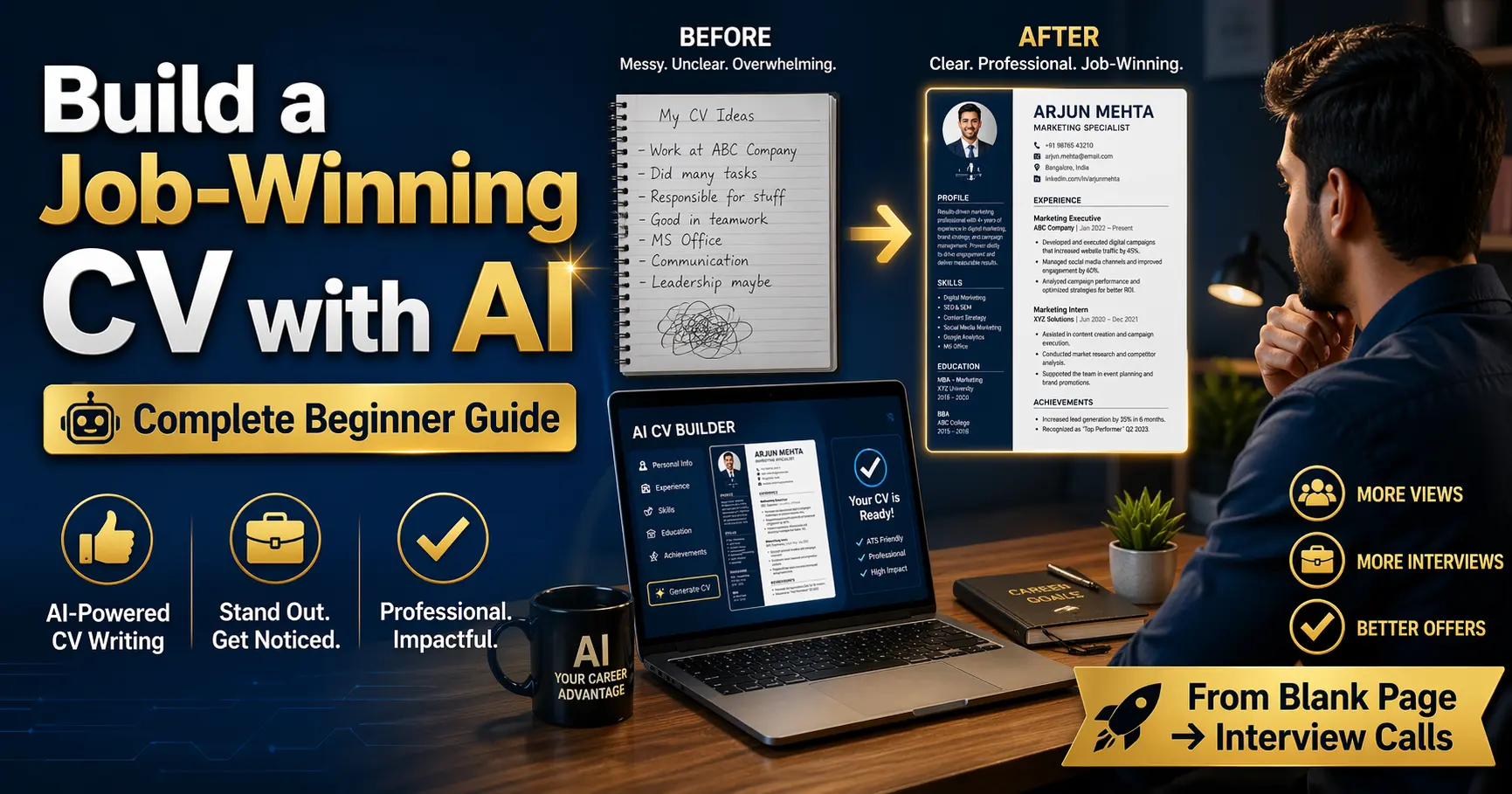
Build a Job-Winning CV with AI: A Complete Beginner Guide (2026)
๐Ÿ“„ Career Tools ๐Ÿค– AI Writing ๐Ÿ”ฅ CV Guide ๐Ÿ†• 2026 Edition โœ… Updated April 2026

Build a Job-Winning CV with AI: A Complete Beginner Guide From blank page to interview-ready resume โ€” practical steps using AI tools anyone can follow

Person building a job-winning CV with AI tools on a modern laptop in 2026

Writing a CV has always been one of those tasks that feels deceptively simple โ€” until you actually sit down to do it. Most people either undersell themselves with vague bullet points or overcrowd the page trying to fit in everything they’ve ever done. Building a job-winning CV with AI changes that dynamic entirely. It gives you a capable collaborator that helps you surface the right language, structure your experience clearly, and tailor every application without starting from scratch each time.

This guide covers the whole process: choosing the right AI tool for the job, giving it the right inputs, reviewing and refining its output, and making sure your final document holds up against automated screening systems. Whether you’re putting together your first-ever CV or refreshing one that hasn’t landed interviews in a while, these steps work.

No design experience needed. No copywriting background required. Just an honest account of your experience, a clear sense of the role you’re applying for, and about an hour of focused work.

โœ๏ธ By Career Tools Editorial ยท ๐Ÿ“… April 2026 ยท โฑ๏ธ 14 min read ยท โ˜…โ˜…โ˜…โ˜…โ˜… 4.8/5

Before You Start โ€” 5 Things to Know About Using AI for Your CV

AI writes with you, not for you. The output is only as good as the information you provide. A detailed, honest account of your experience gives the AI real material to work with.
Every output needs human review. AI can misstate job titles, invent skills you don’t have, or use phrasing that doesn’t sound like you. Read every line before it goes into a real application.
Tailor to each role, not just once. One generic CV rarely outperforms a tailored one. AI makes it practical to customize for each application in minutes rather than hours.
ATS optimization is not optional. Most large employers use applicant tracking systems to filter CVs before a human ever sees them. Your AI-assisted CV still needs to pass that test.
Format simply. AI can draft great content, but tables, graphics, and columns often confuse ATS parsers. Keep the layout clean, even if it looks plain.

73%

of CVs screened by ATS before human review

~45m

Average time to draft a tailored CV with AI

3ร—

More interview callbacks with a tailored CV

Free

Most AI tools have a capable free tier to start

What This Guide Covers

Why You Should Build a Job-Winning CV with AI

The blank page problem โ€” and how AI solves it

๐Ÿง  Foundations

Most people don’t struggle to write a CV because they lack experience. They struggle because translating lived experience into clear, confident, well-structured text on demand is genuinely difficult โ€” especially when you’re doing it for yourself, under pressure, with a deadline attached.

AI tools remove the blank page problem. Instead of staring at a cursor wondering how to describe your last role, you can describe what you actually did in plain language, then ask the AI to turn that into professional CV language. You’re no longer writing from nothing โ€” you’re reviewing, refining, and making choices about a draft that already exists.

The second major advantage is consistency. A professional CV has a specific voice: active verbs, quantified achievements, concise bullet points. Most people naturally drift in and out of that register as they write โ€” some bullets end up sharp and specific, others vague and passive. AI keeps the register consistent across every section.

๐Ÿ’ก The Key Shift in Mindset

Think of AI as a skilled editor who never gets tired and always has time to rework a sentence. Your job is to give it the raw facts and make the final judgment calls. Its job is to find the clearest, most compelling way to say what you mean.
Choosing the Right AI Tool for the Job

General-purpose AI vs. dedicated CV builders โ€” what actually works

There are two types of tools worth knowing about: general-purpose AI assistants and dedicated CV-building platforms. Both are useful, but for different parts of the process.

General-Purpose AI (Claude, ChatGPT)

Excellent for drafting, rewriting, tailoring, and getting feedback on specific sections. You control the conversation, so you can iterate quickly and ask follow-up questions. Best for writers comfortable with prompting.

Dedicated CV Builders (Kickresume, Resume.io, Rezi)

These guide you through sections with structured inputs and offer AI suggestions within a visual editor. Great if you want a finished, formatted document without separate design work. Some handle ATS scoring built in.

ATS Scanners (Jobscan, Resume Worded)

Not for writing โ€” for testing. Paste your CV and a job description, and these tools score how well your content aligns with what an ATS would look for. Use them as a checkpoint, not a starting point.

The Practical Stack for Most People

Use a general AI assistant to draft and tailor content. Paste into a clean Word or Google Docs template. Run the final version through an ATS scanner before submitting. Simple, effective, and free for most steps.

โœ… Where to Start

If you’ve never done this before, start with a general-purpose AI assistant. The conversation-based interface is more flexible than a rigid form, and you’ll learn what kinds of prompts produce useful output faster this way.

Gathering Your Raw Material Before You Prompt

What to pull together before you open the AI tool

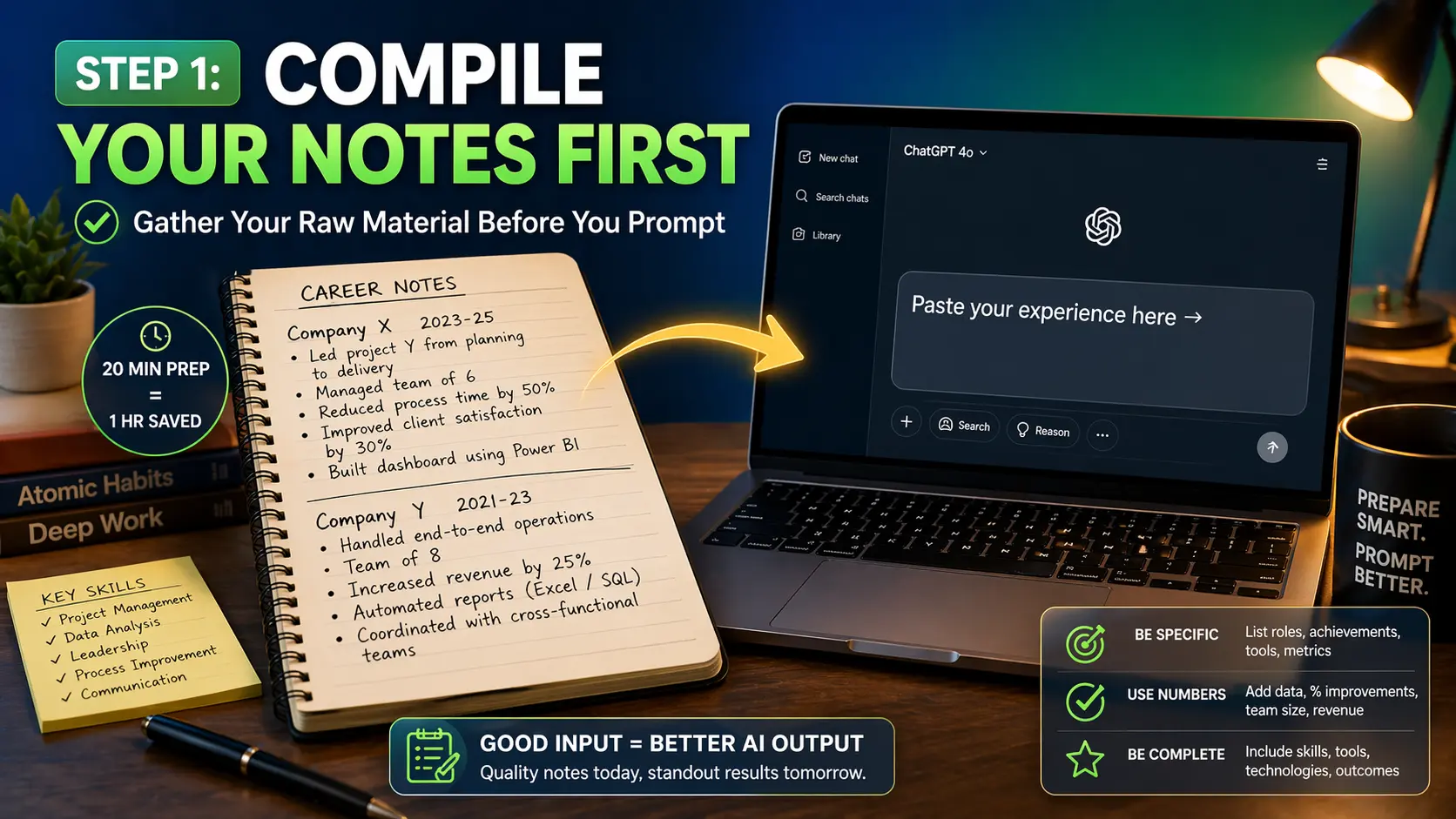
The quality of your CV output depends heavily on what you give the AI to work with. Spending 20 minutes collecting your raw material before you start prompting will save you an hour of back-and-forth trying to get the AI to guess at details it doesn’t have.

For each role in your work history, write a few rough sentences covering: what the company did, what your actual job was day-to-day, any specific projects you led or contributed to, and anything you can put a number on โ€” team size you managed, revenue you influenced, percentage improvements you achieved, volume of work you handled. Numbers don’t need to be precise โ€” “roughly 200 customer calls per month” is more useful than “lots of customer contact.”

โš ๏ธ Don’t Skip This Step

If you just ask an AI to “write my CV,” it will produce something generic because it has nothing specific to say about you. Specific inputs produce specific, compelling output. Vague inputs produce vague, forgettable output.

Notebook and laptop showing career notes being compiled before AI CV writing session

Writing Effective Prompts for Each CV Section

What to ask for โ€” and how to ask for it โ€” to get genuinely useful drafts

โšก Core Skill

Each section of a CV has different conventions and different challenges. Here’s how to approach the main ones.

Professional Summary

This 2โ€“4 sentence section sits at the top and frames everything below it. Give the AI your job title, years of experience, your two or three strongest skills, and the type of role you’re applying for. Ask for a first-person summary that doesn’t use “I” โ€” that’s a common convention in UK and European CVs. Ask for two or three versions and choose the one that feels most accurate.

Work Experience Bullets

This is where AI earns its keep. Paste in your rough description of a role, then ask the AI to rewrite it as 4โ€“6 achievement-focused bullet points using active verbs. If you have any metrics, include them explicitly โ€” “ask the AI to include that I reduced onboarding time from 3 weeks to 8 days” is a useful instruction. Review each bullet: if it sounds like something any person in that role could say, it’s not specific enough.

Prompt example: "Rewrite the following work experience as 5 bullet points for a CV. Use active verbs, focus on outcomes over duties, and include the specific number I've noted. Keep each bullet under 20 words where possible.[Paste your rough description here]"

Skills Section

Ask the AI to extract the key skills from your experience description and organize them into logical categories (technical skills, soft skills, tools and platforms). Then cross-reference with the job description you’re applying for โ€” skills that appear in both are the ones to prioritize.

๐Ÿ’ก Iterate, Don’t Accept First Draft

Rarely does the first output nail it perfectly. Ask follow-up questions: “make bullet two more specific,” “the tone is too formal โ€” simplify it,” “add that I led a team of five.” The conversation format is the feature โ€” use it.

Optimizing Your CV for ATS with AI Help

Making sure your CV gets past the bots before the humans see it

Applicant Tracking Systems parse your CV for keywords and relevance signals before routing it to a recruiter. A CV that reads beautifully to a human but fails ATS parsing is invisible โ€” it simply gets filtered out. AI can help you close that gap systematically.

Keyword Matching

Paste the full job description into your AI tool and ask it to identify the 10โ€“15 most important keywords and phrases. Then ask it to check your current CV draft and flag where those terms are present or absent. Integrate the missing ones naturally โ€” not as a wall of keywords at the bottom, but woven into your actual experience bullets.

Formatting Rules That Help ATS

Use standard section headings: Work Experience, Education, Skills โ€” not creative alternatives like “My Journey” or “What I’ve Built”
Avoid tables, text boxes, and columns โ€” these confuse most parsers
Use a .docx or plain .pdf โ€” not image-based PDFs, which parsers can’t read at all
Spell out acronyms at least once, even industry-standard ones: “Search Engine Optimization (SEO)”

โš ๏ธ Don’t Over-Optimize

Keyword stuffing โ€” cramming terms in unnaturally to trick an ATS โ€” often backfires when a human finally reads the document. The goal is to include relevant terms in context, not to satisfy a scanner at the expense of readability.

Tailoring Your CV for Each Application

One base CV, infinite tailored versions โ€” without rewriting from scratch

This is where AI genuinely changes the job search game for most people. Manually tailoring a CV for every application is tedious enough that most candidates skip it. With AI, the process takes 10โ€“15 minutes per application once you have a solid base document.

The workflow: keep your complete, detailed base CV as your source of truth. For each new application, paste the job description into your AI tool alongside your current summary and top experience bullets. Ask the AI to suggest specific changes โ€” reordering bullets to lead with the most relevant experience, adjusting the summary to reflect the role’s priorities, or surfacing a skill you mentioned in a later role that’s more relevant here.

๐Ÿ“– Real Example โ€” Marketing Coordinator, Casablanca, 2026

A marketing coordinator applying to both an e-commerce brand and a B2B SaaS company had the same core experience but needed to emphasize different aspects. For e-commerce, she led with campaign metrics and customer acquisition data. For the SaaS role, she led with lead generation and sales alignment work. The base facts were identical โ€” the AI helped her reframe and reorder in under 20 minutes each time. She got interviews from both.

Reviewing and Polishing the Final Draft

What to check before you hit send โ€” a practical checklist

Before you submit anything, read the entire document out loud. If a sentence trips you up or sounds unlike anything you’d actually say, that’s a flag. AI sometimes produces phrasing that’s technically correct but stilted in a way that experienced recruiters notice immediately. Your voice matters โ€” smooth out anything that sounds like it came from a template.

Check every single factual claim. Job titles, dates of employment, degree subjects, company names โ€” AI can get these wrong or hallucinate details you never provided. This is non-negotiable. Factual errors on a CV are immediately disqualifying if caught in an interview, and they often are.

Final Review Checklist

Every bullet starts with an active verb ยท No first-person pronouns (“I”, “my”) ยท All dates are accurate ยท Contact details are current ยท File is saved as .docx or standard PDF ยท One page for under 5 years experience, two pages maximum beyond that ยท No spelling errors (run a separate spellcheck โ€” AI misses these too)

Real Scenarios โ€” Who Benefits Most from AI-Assisted CVs

Different challenges, same solution โ€” applied differently

AI CV tools aren’t only useful for one type of job seeker. Here are the situations where the difference tends to be most visible.

Career Changers

If you’re moving from teaching to instructional design, or from retail management to operations coordination, AI can help you identify transferable skills and reframe your existing experience in language that resonates with a new industry’s hiring managers.

Recent Graduates

When paid experience is limited, AI helps you articulate the value of internships, academic projects, and volunteering in professional language โ€” without overstating or padding. It also helps you build a skills section that reflects real capability.

Non-Native English Speakers

Strong candidates whose written English isn’t their first language can produce polished, native-sounding CV text by giving the AI their experience in plain language and having it render that clearly in professional English. The ideas are yours; the polish is AI-assisted.

Returning to Work After a Break

Whether the gap was for caregiving, health, or personal reasons, AI can help you structure the narrative around your return: refreshed skills, freelance or volunteer work during the break, and a summary that positions you forward rather than backward.

โšก AI CV Tool Comparison

Choosing the right tool for your workflow โ€” April 2026.

ToolBest UseFree Tier?ATS Check?
Claude / ChatGPTDrafting, tailoring, rewriting sectionsYes โ€” generousNo (manual)
KickresumeVisual CV builder with AI suggestionsYes โ€” limitedPartial
ReziATS-focused CV buildingYes โ€” limitedYes โ€” built in
JobscanATS score testing onlyYes โ€” limitedYes โ€” core feature
Resume WordedCV scoring and feedbackYes โ€” basicYes

๐Ÿ† Pro Tips for a Stronger Final CV

Maximize Your AI Output

Give context about the reader: Tell the AI who will be reading the CV โ€” “this is for a startup hiring a generalist” produces very different output to “this is for a large corporate HR team.”
Ask for alternatives: If a bullet doesn’t feel right, ask for three different versions. Having options to choose from is faster than iterating on a single output.
Use it for your cover letter too: Once your CV is done, give the AI both your CV and the job description and ask it to draft a cover letter that bridges the two. The consistency it achieves is hard to replicate manually.

Common Mistakes to Avoid

Accepting AI output without reading it โ€” errors, inaccuracies, and awkward phrasing slip through more often than you’d expect
Using the same CV draft for every application โ€” tailoring is where most of the measurable value comes from
Letting the AI remove all personality โ€” if every sentence sounds identical, it reads as generic even if the content is good
Forgetting to update contact details and the professional summary when tailoring โ€” these get missed in the rush

โœ… The Practical Starting Workflow

Spend 20 minutes writing rough notes about your experience โ†’ open a general AI assistant and draft each section conversationally โ†’ paste into a clean template โ†’ run through an ATS checker โ†’ read aloud and fix what sounds wrong โ†’ submit. That’s the whole process. It’s less complicated than it looks, and it consistently produces better results than starting from a blank page or a generic template you found online.

The job market in 2026 is competitive, but it’s also one where the tools available to applicants have genuinely improved. A thoughtful, tailored, clearly written CV is more achievable than it’s ever been โ€” you don’t need a professional resume writer, and you don’t need to be a natural with words. You need a clear account of your experience, a few hours of focused work, and a willingness to iterate.

Start with your last role. Write three rough sentences about what you actually did. Open an AI tool and ask it to turn that into professional CV bullets. That’s the first step โ€” and it’s easier than you think.

โšก Extra Tips to Make Your CV Stand Out

๐Ÿ’ก Add a LinkedIn-Consistent Summary

Ask the AI to also produce a LinkedIn “About” section from the same material. Recruiters increasingly cross-reference your CV and LinkedIn profile โ€” inconsistencies raise questions you don’t want to answer in an interview. Having them aligned takes one extra prompt and ten minutes.

โœ… Use Numbers Wherever You Can

Even rough numbers improve a CV significantly. “Managed a team” is weaker than “managed a team of six.” “Improved response times” is weaker than “reduced average response time from 4 hours to 45 minutes.” If you can’t remember the exact figures, give a reasonable estimate โ€” then double-check you can defend it if asked.

โš ๏ธ Don’t Ignore the Skills Section

Many people treat the skills section as an afterthought. Recruiters and ATS systems don’t. Ask the AI to cross-reference your skills list with the language in the job description and identify any gaps. Even a skill you use daily but haven’t listed can be the difference between passing the initial screen and being filtered out.

More Career and AI Writing Guides

Scroll to Top