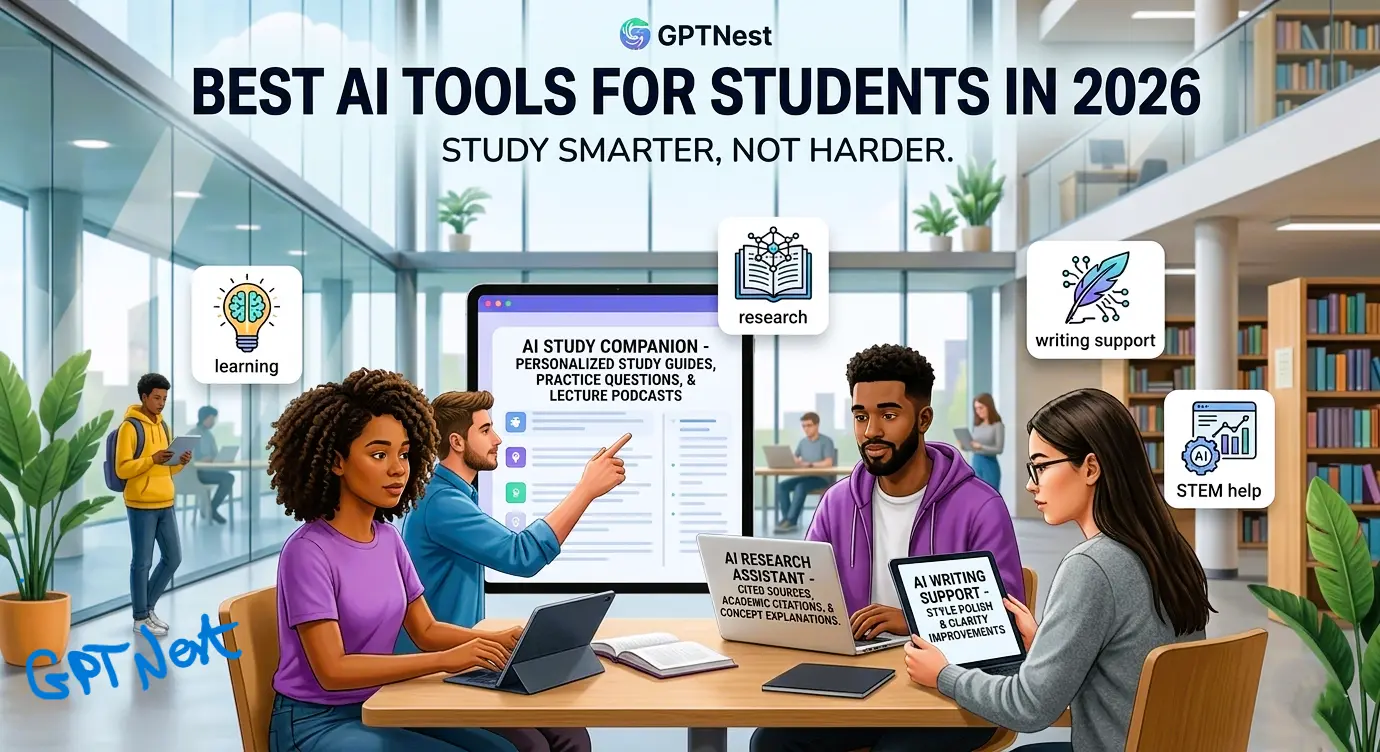
🎓 AI for Students
📚 Study Smarter
🆕 2026 Updated
✅ Verified April 2026
Best AI Tools for Students in 2026
Reviewed, Ranked & Honestly Tested — 2026 Edition
Let me be honest with you: when I was a student, I spent three hours making flashcards that I reviewed exactly once. Today’s students are doing the same material in twenty minutes using AI — and actually retaining it better. 73% of college students now use AI tools weekly, and those who use them strategically are pulling ahead in ways that would have seemed impossible five years ago. But here’s the thing nobody tells you: most students are using the wrong tools for the wrong tasks.
This isn’t a list of every AI tool that mentions “education” in its marketing. These are the tools that actually make a measurable difference in how students learn, write, research, and manage the overwhelming volume of information that modern academic life throws at you. Every tool here has been evaluated specifically for student use cases — including the real-world 2026 scenario where professors are increasingly AI-aware and academic integrity matters more than ever.
✍️ By GPTNest Editorial
·
📅 Updated: April 5, 2026
·
⏱️ 18 min read
·
★★★★★
4.9/5
🎓 The Real Student AI Landscape in 2026 — What’s Actually Changed
✦AI literacy is now a graduation requirement at over 400 universities worldwide. Knowing how to use these tools responsibly is part of the curriculum, not a shortcut around it.
✦NotebookLM changed the game for lectures: Students now routinely convert hours of recorded lectures into 10-minute AI podcast summaries — and comprehension scores in studies went up, not down.
✦The “AI detection” arms race is real: Most professors now use AI detection tools. Writing that sounds robotic gets flagged. This guide includes tools that help you write better, not tools that write for you.
✦Claude Sonnet 4.6 with 1M context means students can paste an entire semester’s worth of notes into one conversation and ask questions across all of it simultaneously — a study session game-changer.
✦Most of the best tools are free. The complete zero-cost student stack at the bottom of this guide covers 90% of academic use cases without spending a single dollar.
73%
Students Use AI Weekly
3×
Faster Note Review with AI
$0
Cost for a Full Free Stack
How We Evaluated These Tools for Students Specifically
Generic “best AI tools” lists recommend tools built for professionals and slap “great for students too!” at the bottom. We didn’t do that here. Every tool was evaluated specifically through a student lens: Does it help you understand material, not just summarize it? Does it support learning rather than replace it? Is it affordable — ideally free?
We also evaluated each tool against the biggest concern for students in 2026 — academic integrity. The tools here are ones you can use openly, discuss with your professors, and integrate into your workflow without crossing ethical lines. There’s a section at the end of this guide dedicated entirely to navigating AI use in academia the right way.
Whether you’re a high school sophomore cramming for finals, an undergraduate juggling five courses and a part-time job, or a graduate student drowning in research papers — there’s a tool in this list that will genuinely make your academic life easier. Let’s get into it.
1
NotebookLM
⭐ Top Pick
🆓 100% FreeAI Study Companion & Podcast Generator — by Google
🎙️ Research
100% Free
✅ The Single Best Free Tool for Students in 2026
NotebookLM is not just good for a free tool — it’s genuinely excellent by any standard. Upload your lecture slides, textbook chapters, research papers, and class notes. Then ask it anything, generate a study guide, create practice questions, or — most impressively — convert your entire source material into a natural AI podcast conversation between two voices that you can listen to while commuting. Google has kept this completely free.
NotebookLM fundamentally changes how studying works. The traditional approach — read, highlight, re-read — is one of the least effective study methods according to cognitive science research. NotebookLM replaces passive re-reading with active interrogation of material. You ask it questions, it cites exactly which paragraph in your source documents has the answer, and you build genuine understanding instead of surface familiarity.
📖 Real Student Use Case — 2026
A third-year medicine student uploads 14 lecture PDFs on cardiology. She generates a 12-minute AI podcast that she listens to every morning. Then before her exam she asks NotebookLM: “What are the three things my professors emphasized most about atrial fibrillation?” — and gets a cited, precise answer drawn only from her actual lecture material. Her grade goes up. She doesn’t have to rely on anyone else’s notes.
AI Podcast Generation — Convert any uploaded documents into a realistic two-host podcast conversation. Study while doing dishes. Revolutionary.
Cited Q&A — Ask any question and get answers with direct citations pointing to the exact page and paragraph in your uploaded sources.
Study Guide Generator — One click creates a complete study guide, key concepts list, and FAQ from your uploaded material.
Accepts Everything — PDFs, Google Docs, YouTube links, web URLs, copied text. Your entire course in one notebook.
Source-Grounded Only — Unlike general chatbots, NotebookLM only answers from what you’ve uploaded. No hallucinated information from the open internet.
💡 Pro Student Tip
Create a separate notebook for each course. At the end of the semester, upload everything and ask: “Generate 20 practice exam questions based on the topics covered most frequently in these lectures.” NotebookLM will create questions in exactly the style of the material — far better than any generic study app.
2
Claude (Sonnet 4.6)
⭐ Top PickBest AI for Deep Understanding & Writing Help — by Anthropic
✍️ Learning
Freemium
💡 Why Claude is Different for Students
Claude doesn’t just give you answers — it explains why the answer is correct in a way that actually builds understanding. Ask it to explain a concept “like I’ve never studied economics before” and it will. Ask it to then challenge you with questions on that same concept. Ask it to identify the weakest part of your essay argument. Claude is the tutor who tells you the truth, not just what you want to hear — and that’s exactly what students need.
Where Claude truly separates itself from other AI tools is in long-form academic thinking. Its 1 million token context window means you can paste an entire research paper, your draft response essay, and your professor’s feedback notes — all in the same conversation — and ask Claude to help you revise your argument while keeping your voice intact. No other consumer AI handles this kind of complex, multi-document academic workflow as gracefully.
For students writing dissertations, thesis chapters, or any long-form analytical work, Claude is in a different league. It doesn’t just fix grammar — it engages with your ideas, challenges weak reasoning, and helps you build a genuinely stronger argument. The free tier (Sonnet 4.5) handles most student tasks. The Pro plan at $20/month is worth it for graduate students doing serious research.
📖 Real Student Use Case — 2026
A philosophy undergraduate pastes his 3,000-word essay draft and the essay prompt into Claude. He asks: “Without rewriting anything, identify the three places where my argument is weakest and explain why.” Claude comes back with precise, reasoned critique. He fixes those specific sections himself. The essay is stronger — and entirely his own work. His professor compliments his analytical depth. He didn’t cheat. He got better at philosophy.
Concept Explanation on Demand — Ask it to explain anything from first principles, at any level, with as many examples as you need.
Essay Feedback, Not Rewriting — Unlike tools that generate essays for you, Claude is excellent when used to critique and strengthen your own writing.
Socratic Mode — Ask Claude to quiz you on a topic instead of just explaining it. Active recall is how memory is actually built.
1M Token Context — Upload your entire research notes and thesis draft into one conversation. Ask questions across all of it.
3
Grammarly
AI Writing Polish — The Academic Safety Net
✍️ WritingFreemium
Every student who submits written work needs Grammarly in their browser. That’s not a sales pitch — it’s just true. The free tier catches grammatical errors, awkward phrasing, and unclear sentences in real time inside Google Docs, email, and every major writing platform. In 2026, Grammarly’s biggest new value for students is its AI-pattern detection feature — it flags when your writing has drifted into robotic, AI-generated phrasing patterns and suggests more natural alternatives. In an academic world where professors are increasingly AI-suspicious, this feature alone justifies the install.
Grammarly Premium adds tone adjustment, clarity scores, plagiarism detection, and full-sentence rewrites — genuinely useful for non-native English speakers submitting academic work in English. The student discount is available and makes Premium around $8/month.
⚠️ Use It Right
Grammarly’s AI rewrite suggestions are helpful but shouldn’t be accepted blindly. Read each suggestion critically. Academic writing has conventions — formal register, precise vocabulary — that Grammarly sometimes oversimplifies. Use it as an editor, not a ghostwriter.
Real-time grammar, spelling, and clarity corrections inside any browser tab or Google Docs
AI-pattern detection — flags robotic-sounding passages and suggests human-sounding alternatives
Plagiarism checker (Premium) — cross-references against billions of web pages and academic sources
Tone detector — understand how your writing will land before you submit it
Try Grammarly →
Pricing 2026: Free / Premium ~$12/mo (student discount available) 4
Quizlet AI
Smarter Flashcards & Active Recall Engine
📝 MemorizationFreemium
Quizlet has been a student staple for over a decade, but its 2026 AI features mark a genuine evolution. Quizlet Q-Chat acts as an AI tutor that adapts its questioning to your weakest areas — instead of presenting flashcards randomly, it identifies where you’re struggling and drills those concepts harder. AI Flashcard Generation means you can paste any block of text and Quizlet will create a complete, well-structured flashcard set automatically. What used to take 45 minutes of manual card creation takes 90 seconds.
✅ The Science Behind Why It Works
Quizlet is built around spaced repetition and active recall — the two most evidence-backed study techniques in cognitive science. AI makes these techniques far more accessible by automating the card creation process and personalizing which cards you see and when. If you study this way, you genuinely remember more.
AI Flashcard Generation — Paste your notes, get a complete deck in seconds. AI writes the questions and answers for you.
Q-Chat Tutor — An AI tutor that asks Socratic questions, detects your weak areas, and adjusts difficulty in real time.
Spaced Repetition Algorithm — Shows you the right cards at the right time to maximize long-term retention.
Shared Study Sets — Access millions of student-created sets for almost any course or textbook ever written.
5
ChatGPT (GPT-5.4)
🆕 GPT-5.4The Versatile Academic Assistant — by OpenAI
✍️ Multi-PurposeFreemium
ChatGPT is the household name for a reason — its versatility makes it useful across every academic discipline. GPT-5.4 launched in March 2026 with configurable reasoning depth, which for students means you can ask it to “think harder” about a complex problem in physics or philosophy and get meaningfully better answers. The Code Interpreter feature is particularly valuable for STEM students — it can execute Python, run statistical analyses, generate graphs, and debug code directly in the chat window.
One real strength ChatGPT has over Claude for some students: it’s more conversational and tolerant of vague, exploratory questions. When you don’t quite know what you’re asking yet — you just know you’re confused — ChatGPT is often better at meeting you where you are and helping you figure out the right question before answering it.
Configurable Reasoning (GPT-5.4) — For hard problems, tell it to “think carefully” — it genuinely produces better analysis on difficult academic questions.
Code Interpreter — Run Python, analyze data, create charts, debug code — invaluable for stats, data science, and programming courses.
DALL-E Image Generation — Create diagrams, visualizations, and visual aids for presentations within the same chat.
Custom GPTs — Build a specialized study bot trained on your course syllabus, or use ones other students have already built and shared.
Try ChatGPT →
Pricing 2026: Free (GPT-5.3) / Plus $20/mo (GPT-5.4 + Code Interpreter) 6
Notion AI
Your Second Brain for Academic Life
⚡ Productivity$10/mo add-on
If you’re already organizing your student life in Notion — and you should be — the AI add-on transforms it from a note-taking app into an intelligent research partner. Notion AI can summarize your class notes, extract action items from study sessions, help you outline essays, and most powerfully, answer questions by searching across your entire knowledge base of saved notes and readings. For students who build comprehensive Notion workspaces, the $10/month AI add-on pays for itself in saved time within the first week of exam season.
Summarize lecture notes and long readings in one click — preserves key information
Cross-workspace Q&A — ask questions that search your entire saved notes history
Assignment and deadline tracking with AI-generated task breakdowns
Essay outline generator — turns a topic into a structured argument framework
7
Wolfram Alpha
The Definitive AI for Math, Science & Data
🔢 STEMFreemium
For any student in a STEM field, Wolfram Alpha is irreplaceable — and it has been for twenty years because it’s simply the best at what it does. It doesn’t just give you the answer to a calculus problem; it shows you every step of the derivation. It doesn’t just solve the integral; it explains which integration technique to use and why. In 2026, Wolfram Alpha’s integration with ChatGPT Plus gives it natural language query capability, making it even more accessible for students who struggle with formal mathematical notation. If you’re taking calculus, linear algebra, statistics, chemistry, or physics — Wolfram Alpha is non-negotiable.
Step-by-step solutions for calculus, algebra, statistics, chemistry, and physics
Shows derivation methods, not just final answers — essential for actually learning
Natural language input — type problems in plain English, not just notation
8
Perplexity AI
Research Without the Rabbit Hole
🔍 ResearchFreemium
If you’ve ever started researching a topic on Google and ended up three hours later reading a Wikipedia article about something completely unrelated, Perplexity AI is your cure. It answers research questions with cited, summarized information from current web sources — including academic sources and news — in a single response. No blue link rabbit holes. No ten open tabs. You ask “What are the main theoretical frameworks for analyzing social media’s effect on political polarization?” and you get a structured, cited answer in thirty seconds. It also suggests follow-up questions that deepen your research productively.
Real-time web research with inline source citations — always current, never outdated
Academic search mode — filters results to peer-reviewed and scholarly sources
Follow-up question prompts that guide you deeper into research efficiently
9
Canva AI (Magic Studio)
Visual Projects & Presentations — Instantly
🎨 DesignFreemium
Students are expected to present professionally — group projects, thesis defenses, seminars, poster presentations — and Canva’s AI features make this achievable even without a design background. Magic Design generates a complete, visually coherent presentation from a text outline in seconds. Magic Write drafts speaker notes and slide copy. The free tier is genuinely comprehensive, and the student discount on Canva Pro makes it one of the most affordable premium design tools available. In 2026, Canva also added AI-powered video presentations — slide decks that become narrated video presentations automatically.
Magic Design — paste your outline, receive a complete presentation with visuals in seconds
AI-powered video presentations — turn slides into narrated video automatically
Infographic and poster templates — perfect for academic posters and visual summaries
10
Otter.ai
AI Lecture Transcription & Smart Notes
🎙️ TranscriptionFreemium
The number one complaint from students isn’t exams — it’s trying to write notes and actually listen to the lecture simultaneously. You can’t do both well. Otter.ai solves this cleanly: it transcribes lectures in real time, identifies different speakers, automatically highlights key phrases, and generates a summary at the end of each recording. You sit in class and actually listen. Otter handles the notes.
In 2026, Otter added an AI Q&A feature — after a lecture is transcribed, you can ask Otter questions about what was said, and it answers with timestamps pointing to exactly where in the recording the professor covered that topic. Combined with NotebookLM (#1 on this list), Otter becomes part of a powerful capture-and-study workflow that covers the full learning loop from live lecture to long-term retention.
Real-Time Transcription — Transcribes lectures live with 95%+ accuracy, speaker identification, and automatic punctuation.
AI Summary — At the end of any recording, Otter generates a bullet-point summary of the most important points covered.
Timestamped Q&A — Ask any question about the lecture content and get an answer with a timestamp link back to that moment in the recording.
Zoom & Teams Integration — Automatically joins and transcribes online classes and study group calls without any manual setup.
📖 Real Student Use Case — 2026
A student with ADHD uses Otter for every lecture. He puts his phone on the desk, opens Otter, and actually listens to the professor for the first time in three years — no frantic note-taking, no missed points while he was writing. After class, he exports the transcript to NotebookLM and asks it to generate a study guide. His performance in lectures with recordings he’s processed this way has improved significantly compared to courses where he doesn’t use this workflow.
Try Otter.ai →
Pricing 2026: Free (300 min/mo) / Pro $16.99/mo / Business $30/mo 📊 Full Comparison Table — 2026
All pricing verified from official vendor pages as of April 2026. Prices in USD.
| # | Tool | Best For | Academic Integrity Safe? | Free Plan? | Starting Price | Rating |
|---|
| 1 | NotebookLM | Lecture review & study guides | ✅ Yes — source-only | ✅ 100% Free | Free | ★★★★★ |
| 2 | Claude Sonnet 4.6 | Deep understanding & essay feedback | ✅ Use as tutor | ✅ Sonnet 4.5 | $20/mo | ★★★★★ |
| 3 | Grammarly | Writing polish & AI-detection fix | ✅ Yes | ✅ Yes | $12/mo | ★★★★½ |
| 4 | Quizlet AI | Flashcards & active recall | ✅ Yes | ✅ Basic free | $7.99/mo | ★★★★½ |
| 5 | ChatGPT GPT-5.4 | STEM, coding, versatile tasks | ⚠️ Use carefully | ✅ GPT-5.3 | $20/mo | ★★★★½ |
| 6 | Notion AI | Notes organization & planning | ✅ Yes | ✅ Notion free | $10/mo add-on | ★★★★½ |
| 7 | Wolfram Alpha | Math, science, step-by-step solving | ✅ Yes | ✅ Basic free | $7.25/mo | ★★★★★ |
| 8 | Perplexity AI | Research & academic sourcing | ✅ Yes — cited | ✅ Yes | $20/mo | ★★★★½ |
| 9 | Canva AI | Presentations & visual projects | ✅ Yes | ✅ Generous free | $13/mo | ★★★★½ |
| 10 | Otter.ai | Lecture transcription & notes | ✅ Yes | ✅ 300 min/mo | $16.99/mo | ★★★★ |
🧩 Build Your 2026 Student AI Stack
The right stack depends on what kind of student you are and what you’re studying. Here’s what we recommend by student type — including a completely free option that handles 90% of academic use cases:
🆓 The Completely Free Stack — $0/mo
NotebookLM (lecture-to-study-guide pipeline) + Otter.ai free tier (300 min/mo transcription) + Claude free tier (concept explanation & essay feedback) + Grammarly free (writing polish) + Canva free (presentations). This stack covers studying, writing, research, and presentations — zero cost, genuinely powerful.
📖 Humanities & Social Sciences — ~$20/mo
Claude Pro $20 (deep analytical writing support) + NotebookLM Free (research synthesis) + Grammarly Free (polish). For heavy essay workloads, Claude Pro pays for itself in one exam period of accelerated essay drafting and feedback loops.
🔢 STEM Students — ~$27/mo
Wolfram Alpha Pro $7.25 (step-by-step problem solving) + ChatGPT Plus $20 (code interpreter for data science, lab analysis) + NotebookLM Free (lecture notes). The Wolfram + ChatGPT combination covers mathematics and computational tasks completely.
🎓 Graduate & Research Students — ~$40/mo
Claude Pro $20 (thesis writing, literature analysis, argument building) + Perplexity Pro $20 (academic research with peer-reviewed sources) + NotebookLM Free (research library synthesis). This stack handles the full graduate research workflow from discovery to writing.
🌍 International & ESL Students — ~$20/mo
Grammarly Premium $12 (academic English polish + native speaker tone) + Claude Free tier (explain assignments and concepts in your language if needed) + NotebookLM Free + Otter.ai free tier (follow lectures more easily with transcripts). This combination specifically addresses the challenges of academic work in a second language.
⚖️ Academic Integrity & AI in 2026 — What You Actually Need to Know
⚠️ Important — Read This Section
This section isn’t here to lecture you. It’s here because the most common question we get from students is some version of “which AI tools can I use without getting in trouble?” The honest answer is nuanced, and it depends entirely on your institution’s policies. Here’s the framework that actually helps.
In 2026, most universities have moved past blanket AI bans. The approach across leading institutions is now “responsible use” — acknowledging that AI tools exist and are professionally relevant, while drawing clear lines around what constitutes original academic work. The distinction most professors care about isn’t whether you used AI; it’s whether the thinking and understanding in your submitted work is genuinely yours.
Tools like NotebookLM, Wolfram Alpha, Quizlet AI, and Otter.ai are universally considered safe — they help you study and absorb material but don’t produce submitted work for you. Grammarly sits in a grey area that most professors accept for grammar and polish. Where it gets complicated is using generative AI (Claude, ChatGPT) to produce significant portions of submitted assignments — and yes, professors use detection tools, and yes, they’re getting better.
Our recommendation: use AI as your tutor, your editor, your study partner, and your research accelerator. Don’t use it as your ghostwriter. The students who build genuine skills using AI as a thinking aid are the ones who will thrive after graduation — and they’re also the ones who aren’t nervously waiting for plagiarism results to come back.
Our Honest Take: The Right Way to Use AI as a Student
The students who benefit most from AI tools in 2026 aren’t the ones trying to shortcut their workload. They’re the ones who use AI to get more out of the same time — to understand material more deeply, to catch mistakes in their writing before submission, to review a full semester’s worth of content the night before an exam in a structured way. That’s not cheating. That’s just smart.
If you take nothing else from this guide, take this: start with NotebookLM. It’s free, it’s immediately useful for almost every course, and it represents exactly the right relationship with AI for academic work — you put in the source material, it helps you get more out of it. Then add Claude’s free tier for the deeper conversations about concepts you’re struggling with. That combination alone, both completely free, will meaningfully change how you study.
The tools on this list don’t make being a student easier by removing the work. They make it more effective by removing the friction — so the time you do spend studying actually builds the knowledge and skills that will matter five years after graduation.
⚡ Study Smarter, Not Just Harder
Better Prompts = Better Study Sessions from Every AI Tool
The way you ask AI questions matters as much as which AI you use. Generate study-optimized prompts for free — no account required, works with every tool in this guide.
No account · Works with NotebookLM, Claude, ChatGPT & all tools above · Free forever
More Free AI Resources for Students