⚙️ AI Automation 🚀 Productivity 🔥 Trending 🆕 2026 Guide ✅ Updated April 2026

How I Automated My Work Using AI (Step-by-Step System That Actually Works) A real workflow system — not hype — for freelancers, professionals, and small teams ready to reclaim their time

how to automate work using AI - step by step system 2026 guide

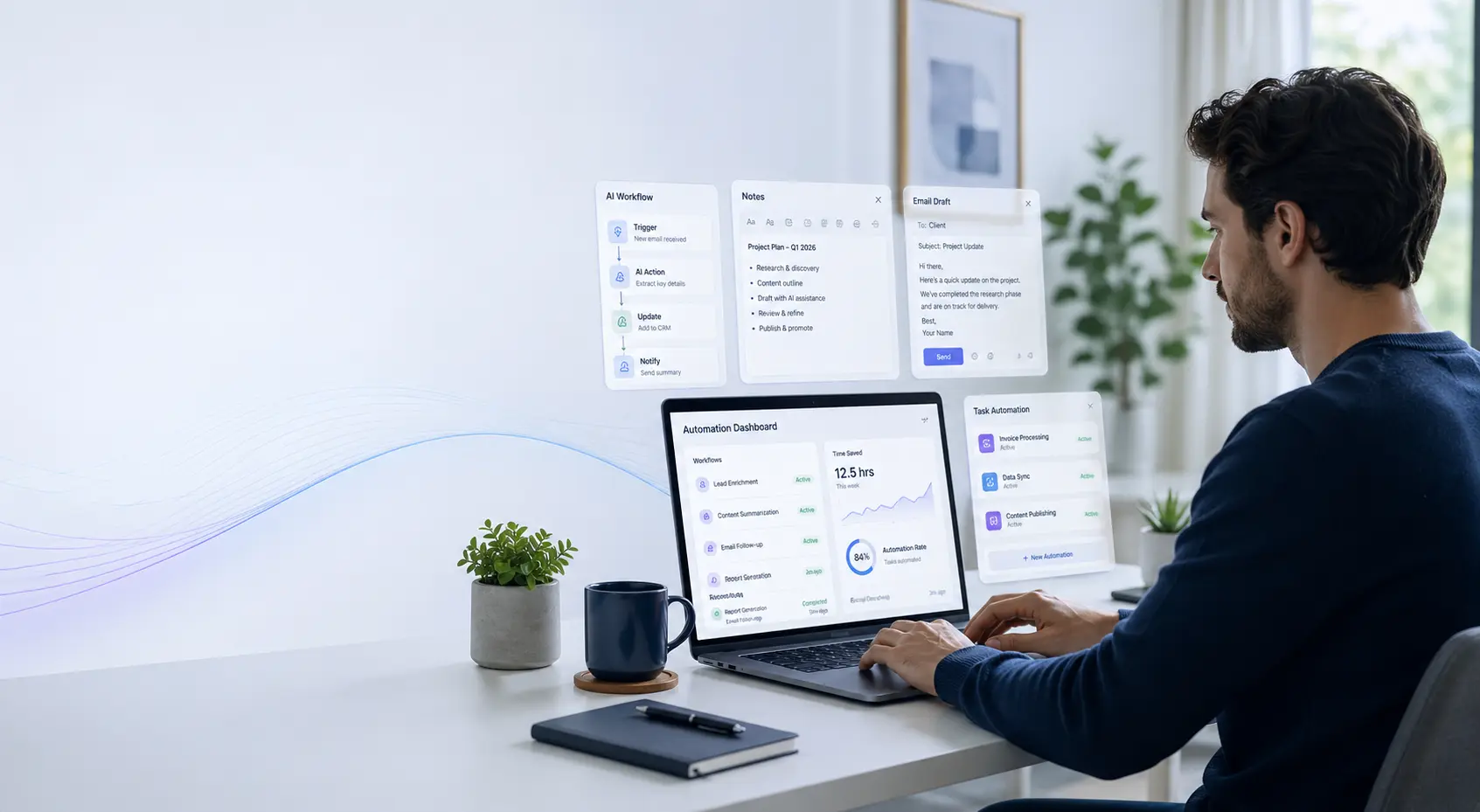
About eighteen months ago, I was spending roughly four hours a day on tasks I hated: summarizing meeting notes, drafting follow-up emails, reformatting client reports, writing social captions for content I’d already created. It wasn’t that the work was hard. It was just relentlessly repetitive. I knew there had to be a better way to how to automate work using AI — I just hadn’t figured out the right system yet.

What I eventually built wasn’t a single magic tool or a complicated tech stack. It was a set of small, well-designed workflows — each one handling a specific recurring task — that together freed up more than two hours every day. This guide walks through exactly how I did it, what’s working now in 2026, and how you can apply the same approach to your own work regardless of your industry or tech comfort level.

I’ll be honest about what works, what doesn’t, and where you’ll still need human judgment. Automation isn’t about removing yourself from your work — it’s about removing yourself from the parts that don’t need you.

✍️ By GPTNest Editorial · 📅 April 25, 2026 · ⏱️ 12 min read · ★★★★★ 4.8/5

Before You Read — 5 Things Worth Knowing Up Front

This is about repetitive tasks, not creative thinking. AI automation works best on structured, recurring work — not on decisions that require judgment or relationships that require trust. Know the difference before you start.
You don’t need to be technical. Nothing in this system requires coding. If you can write a clear instruction, you can build these workflows.
Start with one task, not ten. The temptation is to automate everything at once. Resist it. One well-built workflow beats five half-finished ones every time.
Output still needs review. Automated doesn’t mean unsupervised. Building in a short review step protects your quality and your reputation.
The goal is time back, not perfection. A workflow that saves you 45 minutes a day but occasionally needs a small tweak is a massive win. Don’t discard it because it’s not flawless.

6

Core Workflow Types

2h+

Daily Time Saved

0

Coding Skills Needed

12m

Average Read Time

What This Guide Covers

Step One — How to Automate Work Using AI by Auditing Tasks

You can’t automate what you haven’t mapped — start here

🗂️ Start Here

The biggest mistake people make when they try to automate work using AI is jumping straight to tools. Before you install anything or write a single prompt, you need to know exactly which tasks are eating your time. Without that clarity, you’ll end up automating things that don’t matter and ignoring the ones that do.

Spend one week keeping a simple task log. Every time you switch to a new activity, note it down with a rough time estimate. At the end of the week, group your tasks into three categories: creative or judgment-heavy work, administrative and repetitive work, and communication tasks. The second and third categories are your automation targets.

What to Look For

Tasks that follow a recognizable pattern every time you do them are ideal candidates. If you find yourself thinking “I’ve done this exact thing before,” that’s the signal. Common examples: weekly status updates, client onboarding emails, social post captions, meeting summaries, invoice follow-ups.

The Automation Readiness Test

Ask yourself three questions about each task: Does it follow a similar structure each time? Does it rely mostly on information I already have? Would a reasonably good version be significantly better than nothing? If all three answers are yes, it’s ready to automate.

💡 Practical Starting Point

Don’t try to audit everything at once. Pick your three most time-consuming repetitive tasks and focus only on those. Automating three things well will save you more time than half-automating fifteen.
The Automation Framework — What’s Worth Automating

A simple decision filter that saves you from bad investments

Not every task that feels tedious is a good automation candidate. Some tasks look repetitive but actually require enough situational judgment that automating them creates more problems than it solves. The framework I use has two dimensions: how structured is the task, and how high are the stakes if the output is slightly off?

High structure and low stakes is the sweet spot. Think: first draft of a weekly update email, a summary of a document you’ve read, a social caption for a post you’ve written. Low structure and high stakes is the danger zone — legal documents, financial projections, any communication that directly affects a client relationship. Use AI to assist there, not to fully automate.

Green Zone — Automate Freely

First drafts of routine communications, content formatting and reformatting, summarizing documents you’ve already read, generating options or variations for copy, extracting key points from long texts, writing boilerplate sections of recurring reports.

Yellow Zone — Automate with Review

Client-facing emails, proposals based on templates, blog posts that need your voice, social content, research synthesis. Use AI for the draft, then always read, adjust, and send as yourself.

Red Zone — Assist, Don’t Automate

Anything involving legal, financial, or medical content. Any communication where a mistake would damage trust or relationships. Decisions that require context AI doesn’t have. Use AI as a thinking partner here, not a producer.

📖 Real Case — Independent Consultant, Marrakesh, 2026

A project management consultant was spending about 90 minutes each Friday writing status reports for three ongoing client engagements. The reports followed the same structure every week — progress, blockers, next steps — but required pulling information from his notes and emails. He built a simple prompt template that took his bullet-point notes as input and produced a formatted report in his voice. Total time now: under 20 minutes per week, including his review pass. He estimates the workflow has given him back over 50 hours in the past year.

How to Automate Work Using AI for Emails and Communication

The highest-frequency win for most knowledge workers

📧 High Impact

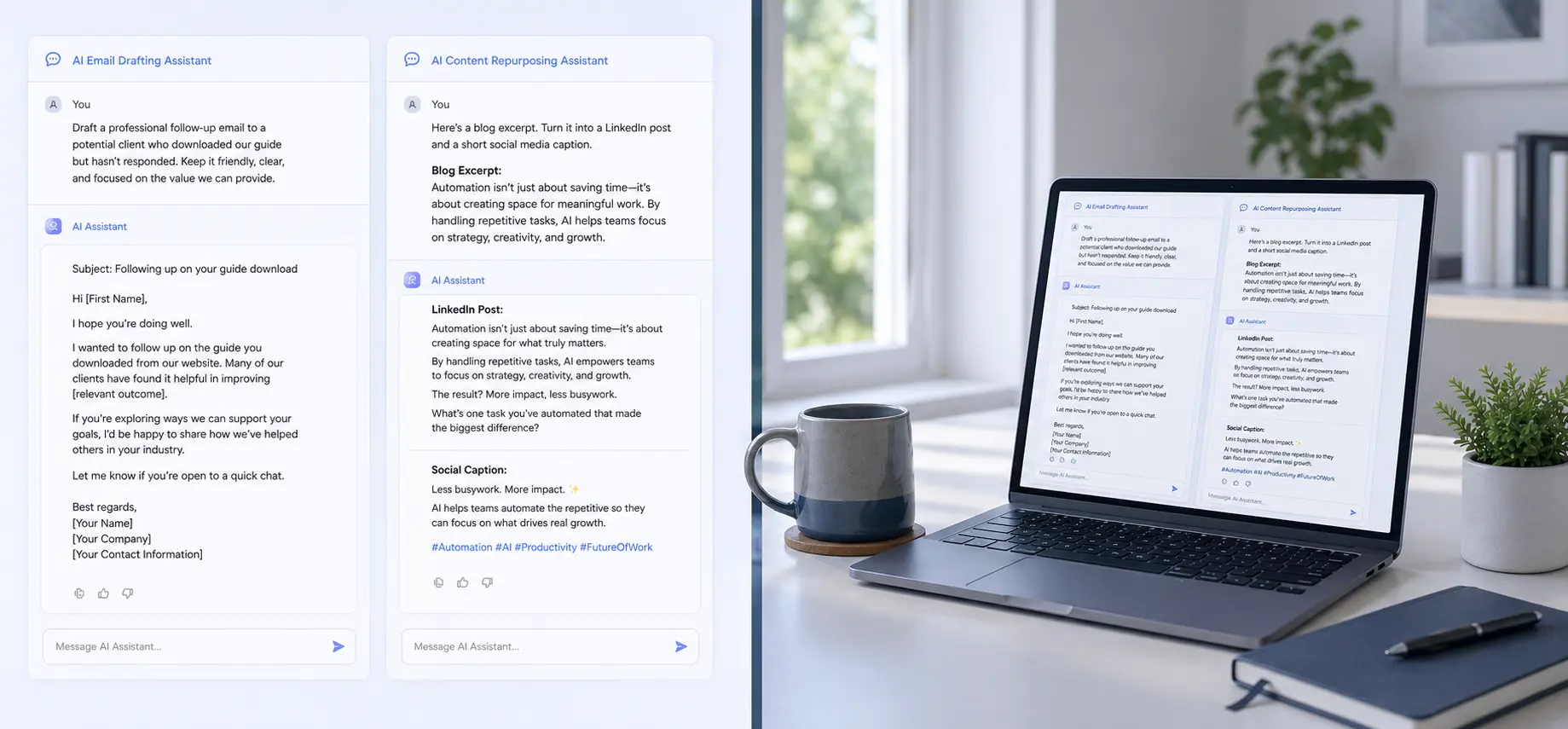
Email drafting is where most people see their first meaningful time savings. The reason it works so well is that most professional emails follow predictable patterns — follow-ups, acknowledgments, introductions, proposals, status updates. Once you’ve written a solid prompt template for each type, you can generate a quality first draft in under a minute and spend your time editing rather than writing from scratch.

The key is building what I call a Voice File — a short paragraph that describes how you write: your preferred tone, your sentence length, phrases you avoid, and a few examples of emails you’ve sent that you were happy with. Paste this at the start of every email-drafting session. The difference between output with and without a Voice File is dramatic.

Email Prompt Template — Copy and Adapt

“I need a draft [type of email: follow-up / proposal / check-in]. Context: [who you’re writing to and why]. My tone: [direct and warm, not overly formal]. Keep it under [word count]. Avoid: [corporate filler, excessive pleasantries]. End with [a clear single ask or next step].”

Building Your Voice File

Find three to five emails you’ve sent that felt right — professional but human. Paste them into a document and write two to three sentences describing what they have in common. Note what you never write (long intros, passive voice, overly apologetic openers). That’s your Voice File. It takes 15 minutes to build and pays back every day.

✅ Quick Win This Week

Pick the type of email you write most often. Write a 5-bullet context brief about who you’re sending it to and what you want to happen. Add your Voice File. Generate a draft. Edit it to sound like you. Compare the time it took to your usual approach. Most people cut 60–70% of their drafting time on the first try.

Content Repurposing — One Piece, Many Formats

The multiplier workflow that creative professionals love most

If you create any kind of content — blog posts, newsletters, podcasts, video scripts, webinars — content repurposing is one of the most effective ways to use AI automation. The idea is simple: you create something once, then use AI to transform it into four or five other formats instead of starting each one from scratch.

A 1,200-word blog post, for example, can become a LinkedIn article, three social posts with different angles, a short email newsletter intro, and a five-slide presentation outline. Without AI, that process takes three to four hours. With a well-built repurposing workflow, it takes under 30 minutes — most of which is your review time, not production time.

The Repurposing Stack

Source → Blog post or article. From that: a LinkedIn post (professional insight angle), an X/Twitter thread (key points as numbered takeaways), an email newsletter section (personal framing, 150 words), a short-form video script (hook + 3 points + CTA), a carousel slide outline (visual format summary).

Prompt Structure for Repurposing

“Here is my original [blog post / newsletter / script]: [paste content]. Rewrite this as a [target format]. Preserve my core argument. Match my tone: [describe tone]. Length: [specify]. Audience: [describe]. Do not add information I haven’t included.”

📖 Real Case — Content Creator, Casablanca, 2026

A freelance content creator was publishing one long article per week but barely had time to promote it. She built a repurposing workflow using a single master prompt template. After posting her article, she pastes it into the template and generates five formats in under 20 minutes. Her LinkedIn following grew 40% in three months — not because she was creating more ideas, but because her existing ideas were reaching more people across more platforms. The content didn’t change. The reach did.

Research and Summarization Workflows

Cutting through information overload without losing nuance

One of the most underrated AI automation wins is in research and summarization. If your work regularly involves reading long documents, research papers, meeting transcripts, or competitor content, you know how much time disappears into that process. AI doesn’t replace the reading — it compresses it significantly.

The most useful workflow is what I call a structured extraction prompt: you paste a document and ask the AI to pull out specific things rather than just summarizing. The specificity matters — “summarize this” produces generic output, while “extract the three main arguments, two supporting data points, and one thing the author seems uncertain about” produces something you can actually use.

Structured Extraction Prompt

“Read the following document and extract: (1) the main claim or recommendation, (2) the top three supporting points, (3) any stated limitations or caveats, (4) one question this document leaves unanswered. Format as a short bulleted list. Do not paraphrase loosely — be precise.” Then paste your document.

For Meeting Notes and Transcripts

“Here is a meeting transcript. Extract: decisions made, action items with owners (if mentioned), open questions not yet resolved, and any topics that generated disagreement. Format clearly. If something is ambiguous, flag it rather than assume.” This produces a follow-up email in minutes, not an hour.

Client Reports and Recurring Documents

The template-plus-data approach that saves hours every week

Recurring documents — weekly status reports, monthly performance summaries, project wrap-up documents — are ideal for automation because they have a fixed structure but variable content. The structure never changes. Only the data does. That’s exactly the pattern AI handles best.

The workflow is straightforward. Build a master prompt that describes the document structure, the required sections, the tone, and the intended audience. Then, each time you need to produce it, you paste in your raw notes or data and let the AI fill the structure. Your job becomes reviewing and refining, not drafting from scratch.

Building a Report Template Prompt

“You are producing a weekly client status report for [type of client/project]. Structure: (1) Summary of progress this week, (2) Key decisions made, (3) Blockers and how they were addressed, (4) Priorities for next week. Tone: professional but direct, no corporate filler. Here are my notes for this week: [paste notes].”

Making It Even Faster

Save your report template prompt in a text file or note-taking app. Each week, open it, paste in your notes at the bottom, and run it. The whole process takes under five minutes of your input time. The AI handles the formatting, the transitions, and the professional language. You handle the accuracy check.

⚡ The Tools I Actually Use (Honest List)

No paid sponsorships, no affiliates. Just what’s genuinely working in 2026 for each workflow type.

Workflow TypeTool I UseWhy It Works
Email draftsClaude or ChatGPTStrong instruction-following, handles tone well
Content repurposingClaude (long context)Handles long inputs without losing the thread
Document summarizationClaude or GeminiGood at structured extraction from long texts
Client reportsClaude with saved promptsConsistent output with template prompts
Meeting notes → action itemsOtter.ai + ClaudeTranscription then structured extraction
Social post variationsChatGPT or ClaudeFast, handles multiple formats in one session
Research synthesisPerplexity or ClaudePerplexity for finding, Claude for synthesizing
Comparison of AI tools used for different work automation workflows including email drafting and content repurposing

🏆 Pro Tips for Sustainable AI Automation

The Weekly Automation Checklist

Monday: Load your context block for the week — who you’re working with, active projects, tone notes. Don’t start from scratch each session.
Mid-week: Run your meeting-notes-to-action-items workflow within 2 hours of any significant meeting. Delay makes it less accurate.
End of week: Produce your recurring reports using your template prompt. Review, adjust, send. Do not skip the review step.

Habits That Compound Over Time

Every time a prompt produces a result you’re happy with, save it. Your prompt library grows and improves.
When a workflow breaks down, diagnose the prompt before blaming the tool. Usually it’s a context gap.
Add one new workflow per month, not one per week. Depth beats breadth.
Track your time saved quarterly — it keeps you honest and motivated.

✅ The One Thing to Do This Week

Pick the task you spend the most time on that follows a repeatable structure. Spend 15 minutes writing a context block and a template prompt for it. Run it twice on real work. Refine once. Save it. That’s your first automated workflow — and it’ll pay for the 15 minutes within a few days.

The most important thing I’ve learned about how to automate work using AI is that the system matters more than the tool. Good prompts, maintained context blocks, and a habit of saving what works — those compound over time in a way that no single feature or update ever will.

The people getting real results from AI in 2026 aren’t the ones with the most sophisticated tools. They’re the ones who built small, well-maintained workflows and actually use them every day. Start small, build deliberately, and stay honest about what needs your judgment and what doesn’t. That’s the whole system.

⚡ Advanced Tips Once You Have the Basics Running

💡 Chain Your Workflows for Complex Deliverables

Some projects require multiple steps: research → synthesis → draft → polish. Build each step as its own prompt, and use the output of one as the input for the next. Chaining keeps each prompt focused and makes it easier to fix problems — you can see exactly where the output diverged from what you needed.

✅ Build a “Not Happy” Diagnostic Habit

When AI output isn’t working, resist the urge to just try again. Instead, ask yourself: was the problem tone, structure, specificity, or missing context? Each has a different fix. Tone problems need better style guidance. Structure problems need explicit format instructions. Specificity problems need more detail in the brief. Diagnosis saves retries.

⚠️ Protect Your Voice Over Time

The most common long-term risk with AI-assisted writing isn’t bad quality — it’s gradual drift toward a generic style. Counter this by regularly updating your Voice File with examples of writing you’re proud of. If your output starts sounding the same as everyone else’s, that’s the signal your prompts need refreshing, not your tools.

More AI Productivity & Workflow Resources

Scroll to Top