
๐Ÿง  Beginner Friendly ๐Ÿ’ก Practical Guide ๐Ÿ”ฅ AI Essentials ๐Ÿ†• 2026 Guide โœ… Updated April 2026

AI for Non-Tech People: Simple Ways to Get Started Today No coding. No jargon. Just practical steps for real everyday tasks.

Non-tech person using AI tools on a laptop in a home office setting

A few years ago, “artificial intelligence” meant robots in sci-fi movies or something only engineers talked about at conferences. Today, AI for non-tech people is genuinely here โ€” and it’s not nearly as complicated as it sounds. You don’t need to write a single line of code to have it draft your emails, summarize a long document, or help you plan a week of healthy meals. You just need to know where to start.

This guide walks through the most useful AI tools available right now, explains what they’re actually good for, and gives you enough context to start experimenting on your own today. Whether you’re a teacher, a small business owner, a retiree, or just someone who keeps hearing about AI and wonders what the fuss is about โ€” this is written for you.

No technical background required. No subscriptions you don’t need. Just honest, practical guidance on what AI can do for your everyday life.

โœ๏ธ By GPTNest Editorial ยท ๐Ÿ“… April 23, 2026 ยท โฑ๏ธ 14 min read ยท โ˜…โ˜…โ˜…โ˜…โ˜… 4.8/5

Before You Dive In “AI for non-tech people” โ€” 5 Things to Know About Getting Started With AI

You don’t need to be technical. The best AI tools today are designed for everyday people. If you can send a text message, you can use most of them.
Free options are genuinely useful. You don’t have to spend money to get real value from AI. Most leading tools offer a capable free tier that works well for personal use.
The key skill is asking good questions. AI tools respond to what you type. The clearer and more specific you are, the better the result you’ll get โ€” no coding involved.
Always review the output. AI is helpful but not infallible. Treat it like a smart first draft โ€” useful, but worth a quick check before you rely on it.
Start with one task, not everything. Pick a single thing AI could help you with this week. That focused first win will make the whole concept click much faster than reading about it.

500M+

People Using AI Tools in Daily Life

$0

Cost to Try Most Leading AI Tools

~5min

To Set Up Your First AI Account

0

Lines of Code Needed to Start

What This Guide Covers ” AI for non-tech people “

What AI Actually Is (In Plain Language)

Cutting through the hype to understand what you’re actually working with

๐Ÿง  Foundations

Think of modern AI tools โ€” like ChatGPT, Claude, or Gemini โ€” as extremely well-read assistants. They’ve been trained on enormous amounts of text: books, articles, websites, documentation, and conversations. When you type a question or request, they use that training to generate a response that fits what you’re asking.

They don’t think the way humans do, and they don’t actually “know” things the way you know your own name. But they are remarkably good at language tasks โ€” writing, summarizing, explaining, translating, and brainstorming โ€” which makes them useful for a surprisingly wide range of everyday problems.

The interaction is usually just a text box. You type what you need, and the AI responds โ€” often within a few seconds. That’s the whole mechanic. No menus to navigate, no forms to fill, no manuals to read. It’s closer to sending a message to a very capable assistant than it is to operating software.

๐Ÿ’ก The Right Mental Model

Don’t think of AI as a search engine that finds answers. Think of it as a collaborator that helps you produce something โ€” a first draft, a plan, a list, an explanation. That shift in framing makes a big difference in how usefully you’ll use it.
The Best AI Tools for Beginners in 2026

Where to start โ€” free, simple, and immediately useful

The landscape has settled considerably. A handful of tools have earned their places as genuinely good starting points for people with no technical background. Each has a free tier that’s more than enough to get a real feel for what AI can do.

The most widely used AI chat tool in the world. The free version handles writing, answering questions, brainstorming, and summarizing well. Available at chat.openai.com โ€” no app download needed.

Known for clear, thoughtful responses and a knack for longer documents. Particularly good at summarizing contracts, reports, or anything with a lot of text. Try it at claude.ai.

Built into Google’s ecosystem, so it connects naturally with Gmail, Docs, and Drive. If you’re already a Google user, Gemini is the easiest on-ramp because it lives where you already work.

Integrated into Windows, Edge, and Microsoft 365. If your workplace runs on Word, Excel, or Outlook, Copilot can help you inside those apps directly โ€” no switching between windows required.

โœ… Where to Start

Pick one and only one to start. Create a free account, and give it a real task from your week โ€” not a test question, but something you actually need done. That first genuine use case teaches you more than any tutorial.

Using AI for Writing and Communication

The most immediately useful thing AI can do for most people

โœ๏ธ Quick Win

Writing is where most non-tech people find their first genuine “aha” moment with AI. It removes the blank-page problem instantly. You don’t need to know exactly what to write โ€” you just need to describe what you’re trying to accomplish, and the AI gives you something to work from.

This works for a huge range of tasks. Drafting a complaint letter to a company. Writing a thank-you note after a job interview. Composing a tricky text to a family member. Creating a product description for a side business. Responding professionally to a difficult email from a client. None of these require technical skill โ€” they require clear communication, and AI is quite good at it.

Real Example โ€” Complaint Email

Type: “Help me write a polite but firm email to my internet provider asking for a refund after three days of outages.” The AI drafts a professional, appropriately assertive email you can edit and send in minutes.

Real Example โ€” Summarizing Long Texts

Paste a long article, lease agreement, or meeting notes and ask: “Summarize the most important points in plain language.” AI is remarkably fast at pulling out what actually matters.

๐Ÿ“– Real Story โ€” Small Business Owner, Marrakech, 2026

A woman running a small guesthouse started using Claude to write responses to guest reviews โ€” in English, French, and Arabic. She’d type her thoughts in Moroccan Darija, ask the AI to write a polished version in whichever language the review was in, and post it. Response rate went up, her profile improved on booking platforms, and the whole process takes her about two minutes per review now.

AI for Everyday Life Tasks

Meal planning, travel, health questions, and more

Beyond writing, AI turns out to be genuinely helpful for the kind of planning and research tasks that used to take a lot of searching, tab-opening, and piecing together information from multiple places. You can just ask directly โ€” and get a reasonably good consolidated answer.

Meal Planning

Tell AI your dietary restrictions, what’s in your fridge, and how many people you’re cooking for. Ask for a week of dinner ideas with a shopping list. It does this well, quickly, and you can ask it to adjust anything it suggests.

Travel Research

Ask for a day-by-day itinerary for a city you’re visiting, including neighbourhoods to explore, local food recommendations, and practical tips for getting around. It synthesizes a lot of research into a readable plan.

Understanding Medical Information

Ask AI to explain a diagnosis, medication, or lab result in simple terms. This isn’t a substitute for your doctor, but understanding what you’ve been told before or after an appointment helps you ask better questions and make more informed decisions.

Learning Something New

Ask AI to explain any concept at whatever level you want: “Explain compound interest like I’m 12” or “Walk me through how a mortgage works step by step.” It adjusts its explanations to your level and lets you ask follow-up questions naturally.

โš ๏ธ One Honest Note

AI doesn’t always have up-to-the-minute information โ€” especially for current prices, live schedules, or breaking news. For things that change frequently, verify details through official sources before acting on them.

AI at Work โ€” Even in Non-Tech Jobs

Teachers, nurses, salespeople, administrators โ€” real applications for non-tech roles

You don’t need to work in tech for AI to save you meaningful time at work. Some of the most useful applications are in roles that have always been heavy on writing, planning, and communication โ€” but where the actual work is something else entirely.

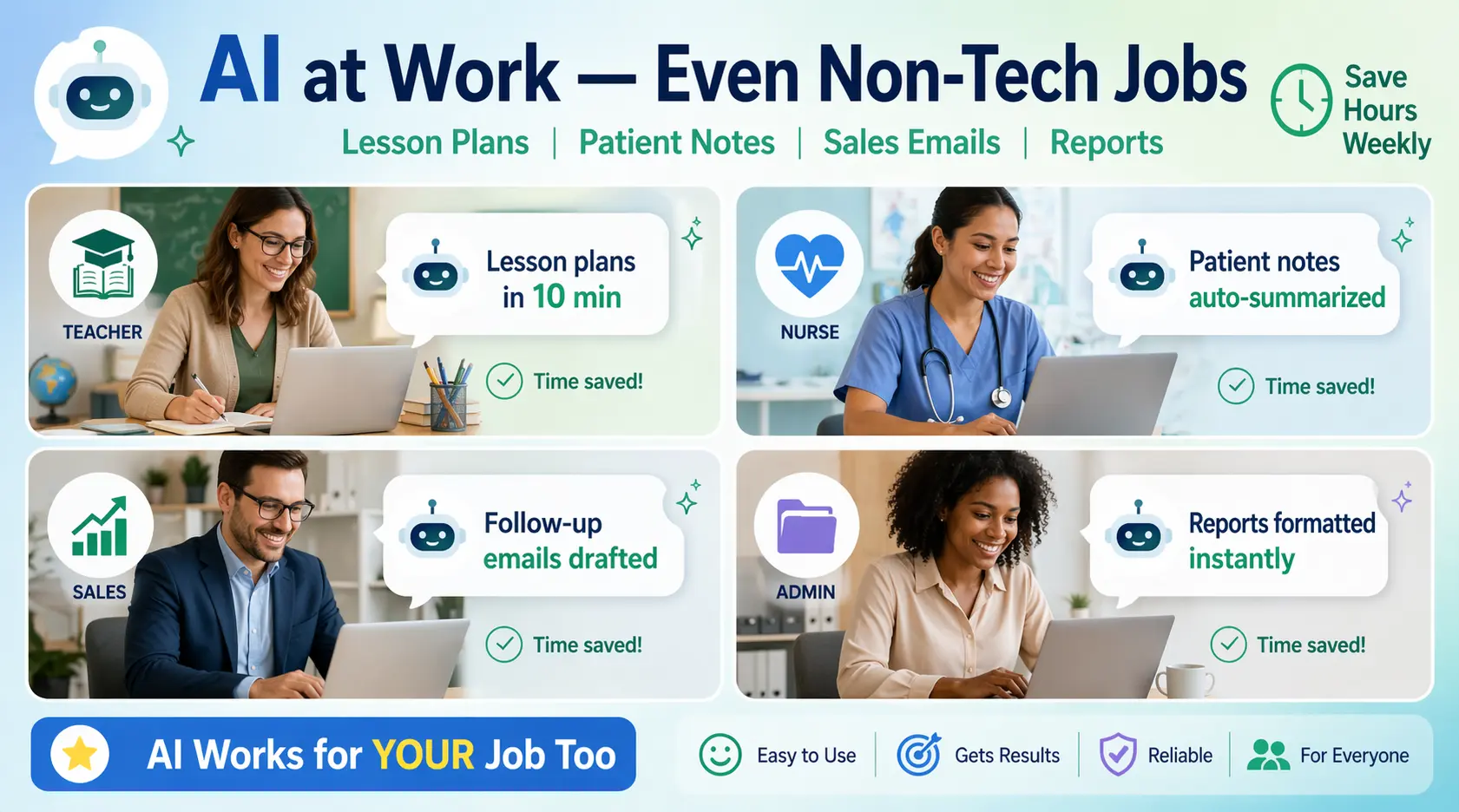
Non-tech professionals using AI tools in everyday work environments
Teachers and Educators

Use AI to create quiz questions, draft parent communication letters, build lesson outlines, or generate differentiated reading materials at different comprehension levels โ€” all in minutes rather than hours.

Healthcare Workers

AI can help write patient handouts in plain language, summarize clinical guidelines, or draft templates for common documentation. It speeds up administrative work without touching anything clinically sensitive.

Sales and Customer Service

Generate follow-up email templates, create product FAQs, write responses to common customer questions, or draft proposals. AI can handle the writing load so you can focus on relationships.

Administrative Roles

Summarize long meeting transcripts, convert rough notes into structured reports, format information consistently, or draft policy documents and procedure guides from bullet-point notes.

How to Ask AI Good Questions (Prompting Basics)

The one skill that determines whether you get great results or frustrating ones

โšก Key Skill

The way you ask matters enormously. Vague prompts get vague answers. Specific prompts โ€” with context, a clear goal, and any relevant constraints โ€” get dramatically better results. This is called “prompting,” and you’ll get the hang of it quickly once you know the basic idea.

The Simple Formula

โŒ Vague Prompt

“Write me an email.”

โœ… Specific Prompt

“Write a short, professional email to my landlord asking him to repair the broken heating in my apartment. I’ve mentioned it twice already. Keep it polite but firm, and ask for a response within 5 business days.”

The specific version gives the AI: a recipient, a topic, context (this has been mentioned twice), a tone, and a deadline. That’s all you need. You don’t need special language or technical terminology โ€” just treat it like you’re briefing a real person who’s new to your situation.

๐Ÿ’ก The Follow-Up Trick

If the first response isn’t quite right, don’t start over โ€” just say what’s missing. “Make it shorter.” “Use a more casual tone.” “Add a section about pricing.” AI conversations are iterative, and each follow-up message refines the result. Most people get their best output on the second or third exchange, not the first.

What to Watch Out For

Honest limitations every beginner should understand

AI tools are genuinely impressive, but they have real limitations โ€” and understanding them upfront will save you from the occasional frustration that comes from expecting too much.

AI can confidently state things that are wrong. This is the most important one to know. If you’re using AI to research something factual โ€” statistics, dates, legal specifics, medical details โ€” verify the information through an authoritative source before relying on it.
It doesn’t know what happened recently. Most AI tools have a knowledge cutoff and won’t have information about events in the past few months. For current news or recent developments, use traditional search alongside AI.
It doesn’t know you unless you tell it. AI has no memory of past conversations by default and no knowledge of your personal context. You need to provide relevant background each time for the most relevant responses.
Sensitive data deserves caution. Avoid pasting private financial documents, passwords, detailed personal medical records, or confidential business information into public AI tools. Read the privacy policy of any tool you use regularly.

โœ… The Right Attitude

Use AI as a powerful first step, not a final answer. It speeds up the thinking, writing, and researching process enormously โ€” and then you apply your own judgement to the output. That combination is where the real value is.

โšก AI Tool Comparison for Beginners

Which tool to use depending on your situation โ€” April 2026.

ToolBest ForFree Tier?Easiest On-Ramp
ChatGPTGeneral writing, brainstorming, explanationsYeschat.openai.com
ClaudeLong documents, careful reasoning, summariesYesclaude.ai
GeminiGoogle Workspace users, research with searchYesgemini.google.com
Microsoft CopilotWord, Excel, Outlook usersYesBuilt into Microsoft 365
PerplexityResearch with real-time web sourcesYesperplexity.ai

๐Ÿ† AI for Non-Tech People: Pro Tips to Get More Out of Tools

Habits That Make AI More Useful

Tell it the format you want: “Give me this as a bullet list” or “Write it in three short paragraphs” produces much more usable output than open-ended requests.
Give it a role to play: “Act as a friendly customer service rep” or “Respond as if you’re a patient teacher explaining to a 10-year-old” shapes the tone of the whole response.
Save prompts that work: Keep a simple notes file of prompts that gave you great results. You’ll reuse them constantly and save time every week.

Common Mistakes to Avoid

Giving up after one attempt โ€” most great results come from a second or third iteration with follow-up instructions
Copying AI output without reading it โ€” always scan the response before sending or publishing anything
Trying to learn five tools at once โ€” pick one, use it for two weeks, then expand if you want more
Expecting AI to replace your judgment โ€” it augments your thinking, it doesn’t replace it

โœ… The Practical Week-One Plan

Day 1: Create a free account on one tool. Day 2: Use it to draft one real piece of writing. Day 3: Try summarizing a long document or article. Day 4: Ask it to explain something you’ve always found confusing. Day 5: Use it to plan something โ€” a trip, a meal, a project. By day five, you’ll have a genuine feel for what it does well and where its limits are.

The gap between “people who use AI” and “people who don’t” is widening โ€” but it’s not a technical gap. It’s a familiarity gap. The tools themselves are designed to be simple. The learning curve is almost entirely about discovering what to ask, not how to operate anything.

Pick a tool. Pick a real task from your week. Give it ten minutes. That’s the whole getting-started process. Everything after that builds naturally from there.

โšก Quick-Start Tips Worth Bookmarking | AI for non-tech people

๐Ÿ’ก Use It for Things You Dread

Everyone has a category of tasks they procrastinate on because they’re tedious โ€” writing a formal letter, responding to a long email thread, organizing scattered notes. Those are the perfect starting points for AI. It doesn’t dread them, and it’s often done in under a minute.

โœ… Start With Low-Stakes Tasks

Your first few weeks with AI should involve tasks where being wrong doesn’t matter much โ€” a birthday message, a shopping list, a rough plan. Build your confidence and instincts there before applying it to anything important like legal documents or professional communications.

โš ๏ธ Don’t Compare Yourself to Power Users

Online, you’ll see people using AI in elaborate, complex ways โ€” multi-step automations, custom tools, advanced workflows. That’s great, but it’s not where you need to start, and most people never need to go there. Getting real value from simple, direct tasks is completely sufficient and very achievable.

More Beginner AI Guides Worth Reading | AI for non-tech people

Scroll to Top