2
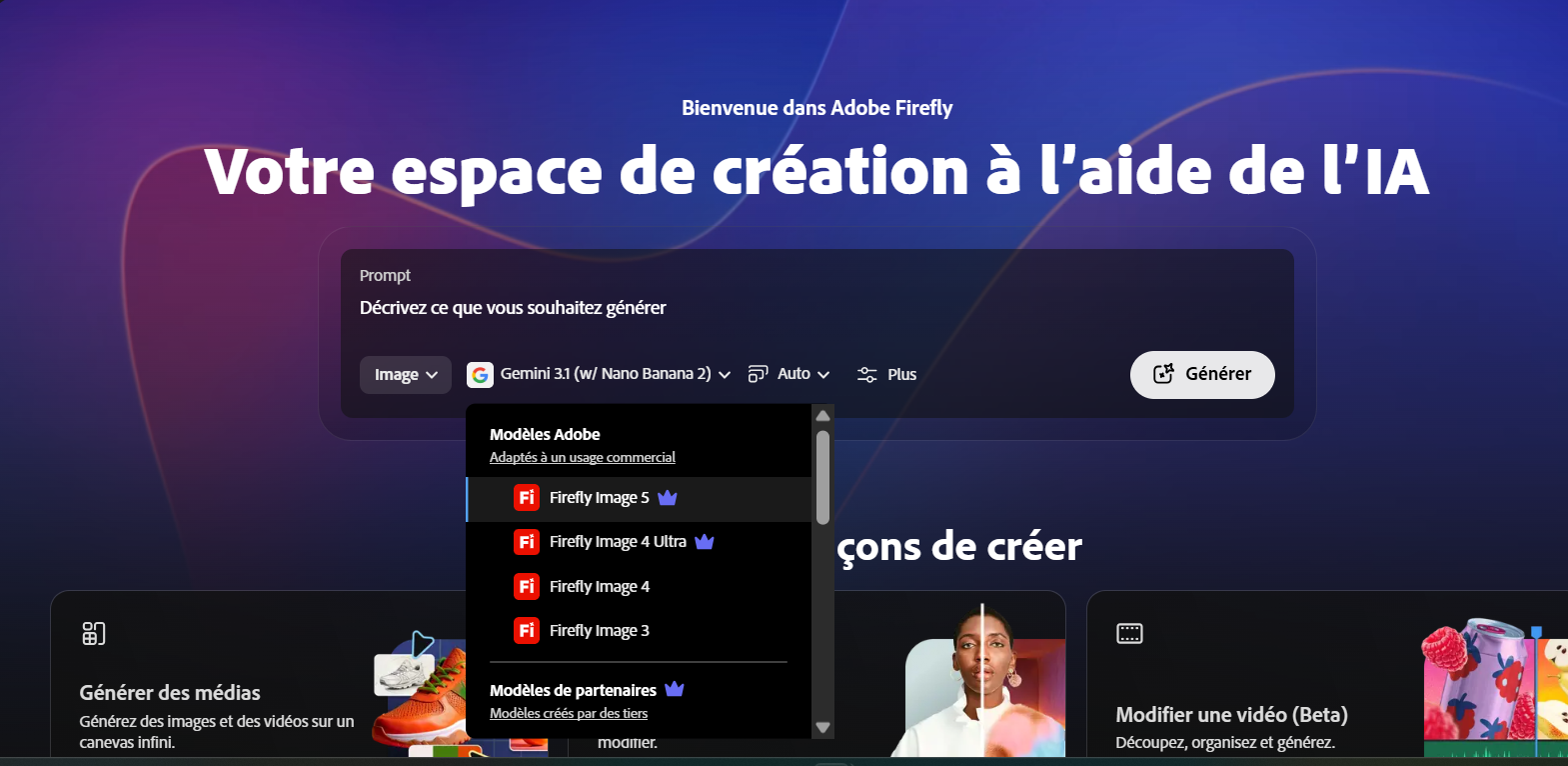
Adobe Firefly 4
⭐ Top Pick
🛡️ IP-SafeBest for Commercial & Brand Work — by Adobe
💼 Commercial
Freemium
💡 The Commercial Safety Advantage Nobody Talks About Enough
Adobe trained Firefly exclusively on licensed Adobe Stock imagery and public domain content. That means every image it generates comes with a commercial usage guarantee that most other AI generators simply cannot offer. For brands, agencies, and freelancers producing content for paying clients, this isn’t a minor feature — it’s the difference between being able to invoice for the work and sitting on a legal landmine. In 2026, with IP litigation around AI-generated images accelerating, this distinction matters more than it ever has.
Firefly 4 made a significant quality leap over its predecessors — the photorealism on product shots and the handling of complex lighting scenarios caught up meaningfully with Midjourney and Flux. More importantly, Adobe’s deep integration means Firefly outputs drop directly into Photoshop, Illustrator, and Express without any export-import friction. For anyone already inside the Creative Cloud ecosystem, that alone is transformative.
📱 Real Creator Use Case — Reels 2026
A boutique marketing agency in Toronto uses Firefly 4 exclusively for all client deliverables. They generate product lifestyle scenes, social ad backgrounds, and email header images — all commercial-safe — directly inside Photoshop using Firefly’s Generative Fill. Their creative team’s output tripled without adding headcount. When a client asked for a usage rights certificate, they had one. No other AI generator could have given them that.
Generative Fill (Photoshop) — Select any region of a real photo and fill it with AI-generated content that matches perfectly. The most powerful inpainting tool available.
Generative Expand — Extend any image beyond its original borders. Vertical-to-horizontal, square-to-widescreen — instant format adaptation.
Structure Reference — Upload a composition sketch and Firefly generates a fully rendered image matching your exact layout.
Commercial License Guarantee — Every generated image is safe for commercial use with Adobe’s IP indemnification backing.
Try Firefly Free →
Pricing 2026: Free (25 credits/mo) · Firefly Plan $9.99/mo · Included in Creative Cloud 3
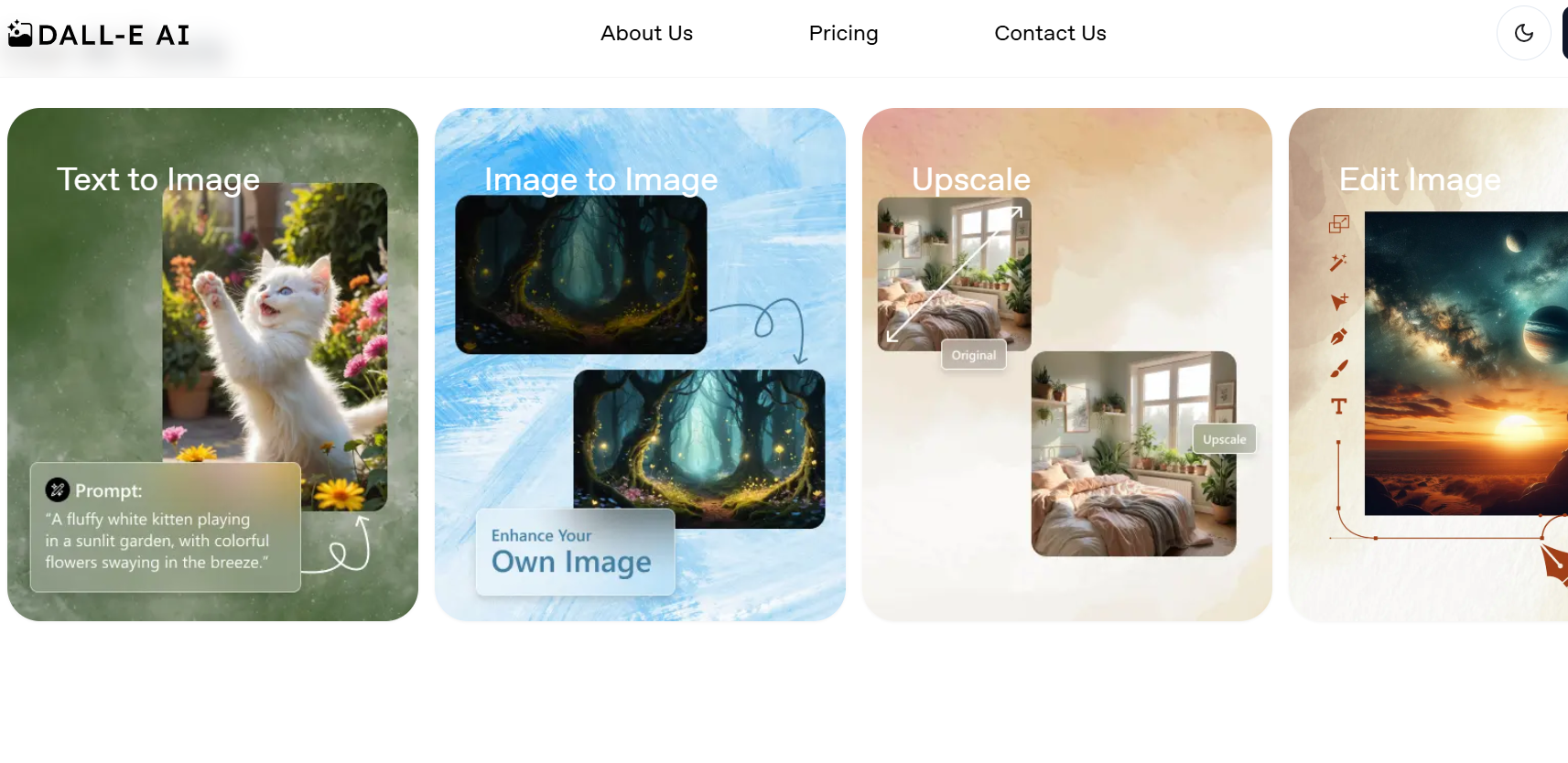
DALL-E 4
Best Inside the ChatGPT Workflow — by OpenAI
🤖 AI IntegratedFreemium
DALL-E 4’s biggest advantage isn’t its raw image quality — it’s where it lives. Being natively embedded inside ChatGPT Plus means your image generation is part of a conversation. You can describe a complex concept in plain language, have ChatGPT refine your prompt through dialogue, generate variations, ask it to change specific elements (“make her jacket red instead of blue, and add fog to the background”), and get results — all without leaving the chat interface. For non-technical creators who find prompt engineering intimidating, this conversational image generation workflow is genuinely transformative.
✅ The Prompt Understanding Gap
DALL-E 4 understands natural, messy, conversational prompts better than any other generator. You can literally write “I want something that feels like a rainy Sunday morning in a jazz café in New Orleans, but make it look like a vintage travel poster” and get exactly that. The underlying GPT-5.4 language understanding handles the semantic complexity that trips up more literal generators.
Conversational Generation — Refine images through natural dialogue instead of prompt engineering. The lowest barrier to entry of any premium tool.
Precise Prompt Following — Handles complex, multi-element prompts better than most generators without requiring specific syntax.
ChatGPT Integration — Generate, iterate, and use images within the same session where you’re planning, writing, and researching.
Reference Image Editing — Upload a photo and give it instructions in plain English. “Remove the background and add a mountain landscape” — done.
Try via ChatGPT →
Pricing 2026: ChatGPT Plus $20/mo (includes 50 images/day) · API available separately 4
Stable Diffusion 4
🆓 Open SourceBest for Full Creative Control — Run It Your Way
⚙️ Open SourceFree (Self-Hosted)
Stable Diffusion has always been the power-user’s choice, and SD4 delivers a genuinely impressive quality upgrade while remaining open-source and locally runnable. For creators who want absolute control over their generation pipeline — custom LoRA models, specific artistic styles trained on your own reference images, unconstrained generation, no content filters, no API rate limits — SD4 running locally or through ComfyUI is the only answer. The quality has closed significantly on Midjourney for certain output types, particularly illustration and stylized art.
⚠️ Technical Reality Check
Self-hosting Stable Diffusion still requires a capable GPU (NVIDIA RTX 3060 minimum, RTX 4080 recommended for comfortable generation speeds) and comfort with Python environments. If that sounds intimidating, use it through hosted platforms like Automatic1111 on Runpod, or through Stability AI’s own Stable Artisan interface — you get the model quality without the local setup pain.
Full Local Control — No API limits, no content restrictions, no subscription. Run as many generations as your hardware can handle.
Custom LoRA Training — Train your own style model on 15-20 reference images. Generate in your unique art style consistently, every time.
ControlNet Integration — Generate images that follow exact poses, depth maps, or edge contours from reference images. Unmatched compositional precision.
Massive Community — Thousands of pre-trained models, LoRAs, and workflows available for free on CivitAI and Hugging Face.
Explore SD4 →
Pricing 2026: Free (open source, self-hosted) · Stable Artisan cloud: $20/mo 5
Ideogram 3
🆕 Text WinnerBest AI for Text Inside Images — No More Gibberish
✏️ TypographyFreemium
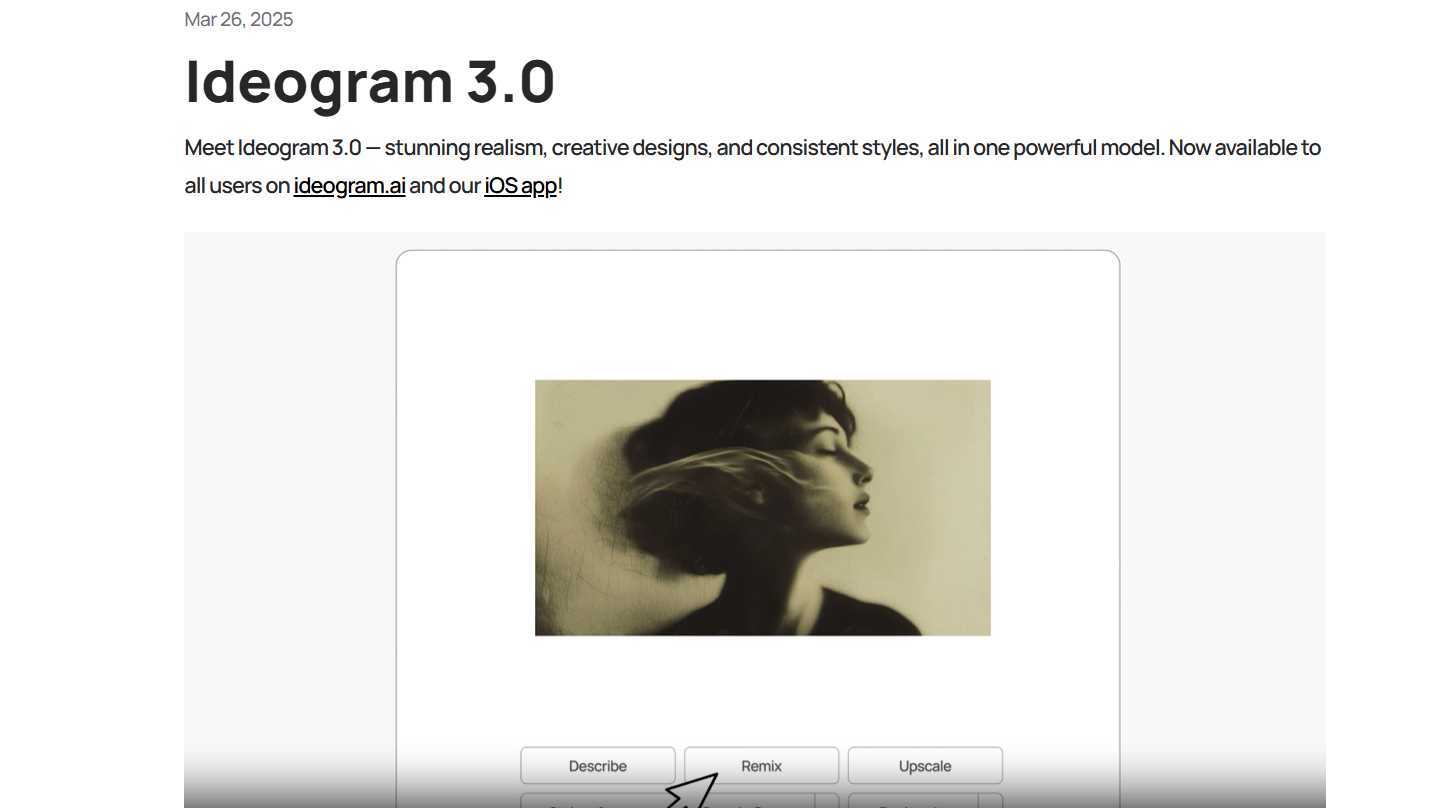
There’s one thing AI image generators have historically been completely terrible at: putting readable text inside images. Ask most generators to create a poster with a specific headline and you’d get beautiful garbage — beautifully rendered, completely illegible, made-up letter shapes that only vaguely resemble your intended words. Ideogram was built from the ground up to solve this specific problem, and by version 3 it has essentially solved it. You can generate a coffee shop chalkboard menu, a vintage concert poster, a product label with readable ingredient text, or a social media quote card — and the text is actually correct.
✅ Why This Matters for Reels and Social Content
In 2026, text-overlay content is one of the highest-performing Reels formats. Motivational quote cards, product callout graphics, announcement visuals — all of these require readable text baked directly into an image. Ideogram 3 lets you generate the entire thing: the visual and the typography, unified, in one prompt. No Canva overlay required. The output quality is good enough to post directly.
Accurate Text Rendering — Generates readable, correctly spelled text inside images. The #1 feature no competitor matches at this quality level.
Typography Styles — Specifies font style, weight, and placement in prompts. Serif, sans-serif, handwritten, neon, carved — it understands them all.
Canvas Editor — Post-generation editing within Ideogram’s interface. Move text, adjust colors, add elements without leaving the platform.
6
Leonardo AI
Best for Game Art, Characters & Concept Work
🎮 Game ArtFreemium
Leonardo AI carved out a specific niche that it owns completely: game art, concept character design, and stylized illustration. If you’re an indie game developer, a tabletop RPG creator, a concept artist, or a storyteller building visual universes — Leonardo’s model ecosystem is unmatched. It hosts hundreds of community-trained models for specific game art styles (isometric, pixel art, dark fantasy, anime, sci-fi concept art) that produce consistent, usable game assets in seconds. The free tier is genuinely generous at 150 tokens per day, and the token system makes it easy to run cost-efficient batch generations.
150+ fine-tuned models for specific art styles — game art, concept work, illustration, fantasy, sci-fi
Motion feature — animate any generated still into a short looping video clip for game previews or social content
Universal Upscaler — batch upscale game assets to print or 4K resolution without quality loss
AI Canvas — inpainting and outpainting workspace inside the browser, no local tools needed
7
Canva AI (Magic Media)
Best for Non-Designers — Generate & Design in One Place
🎨 DesignFreemium
Canva AI’s Magic Media isn’t the best image generator by raw quality metrics — but it’s the best image generator for people who need to actually use those images immediately. You generate an image and it drops straight into your design canvas. Add text, adjust layouts, create Reels-sized vertical graphics, add your brand colors — all in the same tool, without any export-import round trips. For small business owners, social media managers, and content creators who are not designers, this unified workflow is worth more than marginal image quality improvements from a specialist tool. The free tier includes 50 AI image generations per month — more than enough for regular content posting schedules.
Generate and immediately design — AI images drop directly into Canva templates and custom layouts
Magic Expand — automatically extend any image to fit different format dimensions (square, vertical Reels, horizontal banner)
Brand Kit integration — AI images automatically styled to match your saved brand colors and fonts
8
Flux Pro 1.1
Best Photorealism Model — by Black Forest Labs
📸 PhotorealismPay-per-image
Flux Pro 1.1 from Black Forest Labs is the model that genuinely made professional photographers nervous in 2025. Its photorealistic output — particularly for product photography, portrait work, and architectural visualization — is indistinguishable from real photography in most conditions. The team behind it includes former Stability AI researchers who built many of the technical advances that made SD3 possible, and it shows. Flux is available through the API and through several third-party interfaces including ComfyUI and Replicate. It operates on a pay-per-image API model — around $0.04 per image at Pro tier — which makes it cost-effective for production workflows without a subscription overhead.
Best-in-class photorealism for product shots, portraits, and architectural visualization
API-first — integrates into custom workflows, n8n automations, and production pipelines
Flux Dev (open weights) available for self-hosting — commercial use with Flux Pro license
Try Flux Pro →
~$0.04/image via API · Available on Replicate, Fal.ai, ComfyUI 9
Kling AI
Best for AI Video from Images — The Reels Pipeline
🎬 Image-to-VideoFreemium
Kling AI from Kuaishou sits at the intersection of image generation and video creation — and in 2026, that intersection is where Reels content gets made. You generate or upload a still image and Kling animates it into a cinematic 5-10 second video clip with realistic motion, camera movement, and physics. A product photo becomes a slow-motion lifestyle reel. A generated landscape becomes a sweeping drone shot. A portrait becomes a subtle breathing, blinking character video. For creators building Reels content pipelines, Kling is the missing link between static AI images and publish-ready video content. The output quality — particularly in its Pro tier — is consistently the best in the image-to-video category.
Image-to-video in 5-10 second cinematic clips with realistic motion and camera movement
Camera control — specify pan, zoom, tilt, and dolly movements in text prompts
Text-to-video also available — skip the image step and generate video directly from a description
10
Playground AI v4
Best Free Unlimited AI Image Generator
🆓 Free TierUnlimited Free
Playground AI sits in a category by itself: a genuinely capable AI image generator with unlimited free generations and no annoying daily caps on core features. The v4 model released in 2025 represents a significant quality jump — the output is competitive with mid-tier Midjourney and clearly superior to older free tools that have been coasting on their model for years. For creators who are experimenting, building a portfolio, learning prompt engineering, or simply can’t justify a paid subscription right now, Playground v4 is the honest recommendation.
What Playground does particularly well is mixed-image editing — you can upload a photo and blend it with AI-generated elements seamlessly, adjust composition, change backgrounds, and edit specific regions. The interface is clean and browser-based. No download, no GPU required, no Discord server to navigate. You sign up and start generating. In 2026, that frictionless access has made it the go-to recommendation for anyone who asks “where do I start with AI image generation?”
📱 Real Creator Use Case — Reels 2026
A lifestyle blogger starting out uses Playground AI v4 exclusively for her first six months of Reels content — zero budget, unlimited generations. She learns which prompts produce consistent results, develops her visual style, and builds an audience of 40K before she upgrades to Midjourney. The free tool wasn’t a limitation. It was a school. Her Reels aesthetic is cohesive from the very first post because she used the same free tool consistently rather than switching between demos.
Truly Unlimited Free Tier — No daily generation limits, no watermarks, no forced upgrades. The most generous free offering in the category.
Image Editing Suite — Upload and edit real photos with AI assistance. Change backgrounds, swap elements, adjust lighting without Photoshop skills.
Style Presets — One-click style tags for cinematic, anime, illustration, photography, and concept art without learning complex prompt syntax.
Community Feed — Browse public generations with prompts visible. The fastest way to learn what prompts actually work before writing your own.
Try Playground Free →
Pricing 2026: Free (unlimited) · Pro $15/mo (faster generation, priority queue, higher resolution) 📱 AI Image Generation for Reels in 2026 — What’s Actually Working
Real workflows from real creators — not theory, not best practices from 2023.
Let me tell you what’s actually happening in the creator economy right now. The creators who are winning on Reels in 2026 aren’t the ones with the most expensive equipment. They’re the ones with the most consistent visual identity — and AI image generation is how they’re achieving it without a production team. Here are the specific workflows that are working:
🎨 The Consistent Background Workflow
Tools: Midjourney + Canva — Generate 20-30 variations of your brand environment (café interior, minimalist studio, outdoor lifestyle setting) in a consistent style using Midjourney’s –sref style reference. Use these as video backgrounds behind real-camera footage of you or your products. Your visual identity becomes instantly recognizable across every Reel without ever leaving your living room.
📦 The Product Visualization Pipeline
Tools: Adobe Firefly 4 + Kling AI — Generate lifestyle product shots in any environment imaginable (your supplement on a mountain summit, your candle in a Paris apartment, your skincare in a clinical spa). Use Firefly’s Generative Fill to composite your actual product into the AI-generated scene. Then feed the static image to Kling AI to generate a 5-second animated version. Export vertical. Post as Reel. This is how one-person e-commerce brands are producing content that looks like it has a full production budget.
✏️ The Quote Card Series Workflow
Tools: Ideogram 3 + Canva — Generate visually stunning quote cards with your text baked directly into the image using Ideogram 3’s text-in-image generation. Each card looks like a designer spent an hour on it. Generate 15 in 20 minutes, schedule across three weeks. This is the most efficient high-performing Reels content format for coaches, educators, and thought leaders — and it requires zero design skill once you have Ideogram’s prompt formula dialed in.
🎬 The AI Cinematic Story Workflow
Tools: Midjourney v7 + Kling AI + CapCut — Script a short visual narrative (5-8 scenes). Generate each scene as a still in Midjourney using Character Reference to keep your subject consistent across shots. Animate each still to 5 seconds in Kling AI. Edit the sequence in CapCut, add voiceover, export vertical. This is how solo creators are producing mini-film Reels that rack up millions of views — the production quality of a short film, the budget of a coffee.
📊 Full Comparison Table — 2026
All pricing verified from official vendor pages as of April 2026. Prices in USD.
| # | Tool | Best For | Commercial License | Free Plan? | Starting Price | Rating |
|---|
| 1 | Midjourney v7 | Best overall quality & aesthetics | ✅ All plans | ❌ No free tier | $10/mo | ★★★★★ |
| 2 | Adobe Firefly 4 | Commercial & brand-safe work | ✅ IP indemnified | ✅ 25 credits/mo | $9.99/mo | ★★★★★ |
| 3 | DALL-E 4 | ChatGPT-native, conversational gen | ✅ Yes | ✅ Limited | $20/mo (Plus) | ★★★★½ |
| 4 | Stable Diffusion 4 | Full control, custom LoRAs, local | ✅ Open source | ✅ Self-hosted | Free | ★★★★★ |
| 5 | Ideogram 3 | Text inside images, poster graphics | ✅ Yes | ✅ 10/day | $8/mo | ★★★★½ |
| 6 | Leonardo AI | Game art & character design | ✅ Yes | ✅ 150 tokens/day | $12/mo | ★★★★½ |
| 7 | Canva AI | Non-designers, all-in-one workflow | ✅ Yes | ✅ 50 images/mo | $13/mo | ★★★★½ |
| 8 | Flux Pro 1.1 | Photorealism, API production use | ✅ Pro license | ❌ API only | $0.04/image | ★★★★★ |
| 9 | Kling AI | Image-to-video for Reels pipeline | ✅ Yes | ✅ Limited | $8/mo | ★★★★½ |
| 10 | Playground AI v4 | Best free unlimited generator | ✅ Yes | ✅ Truly unlimited | Free | ★★★★½ |
🧩 Build Your 2026 Creator AI Image Stack
Your stack depends on what you’re making and who you’re making it for. Here are the combinations that actually make sense — including a genuinely free stack that handles 80% of real creator needs:
🆓 The Zero-Budget Creator Stack — $0/mo
Playground AI v4 (unlimited image generation) + Ideogram 3 free (10 text-in-image cards/day) + Canva free (design & format for every platform) + Kling AI free tier (animate your best stills). This stack can run an entire Reels content calendar for free. The output quality won’t win awards, but it’s real and it works — and it’s where you learn what prompts actually work before you spend money on a subscription.
📱 Solo Content Creator — ~$38/mo
Midjourney Standard $30 (unlimited relaxed generation for maximum visual quality) + Kling AI Standard $8 (animate your best Midjourney stills for Reels). With this stack you have everything you need to produce premium-looking Reels content every day indefinitely. No other tools required for most niches.
💼 Commercial Freelancer or Agency — ~$53/mo
Adobe Firefly via Creative Cloud $54 (IP-safe commercial generation + Photoshop integration) + Ideogram Plus $20 (unlimited text-in-image for social graphics). Client deliverables need IP protection — this stack provides it without any legal ambiguity. Every asset you invoice for is commercially clean.
🎮 Indie Game Developer / Digital Artist — ~$30/mo + hardware
Leonardo AI Artisan $30 (purpose-built game art models, character consistency, motion) + Stable Diffusion 4 self-hosted free (custom LoRA training on your art style, unlimited local generation). This is the maximum-control creative stack — you can train it to understand your specific universe and generate assets within it consistently.
🛒 E-Commerce Brand — ~$22/mo + API credits
Adobe Firefly via Firefly Plan $9.99 (Generative Fill for product lifestyle compositing) + Flux Pro API ~$12/mo at 300 images (highest-quality photorealistic product shots, batch generation). Product images are the highest-ROI marketing investment for e-commerce — this stack produces photography-quality visuals at a fraction of traditional shoot costs.
The Honest Verdict: Which One Should You Actually Start With?
If you’re reading this without a budget and want to start today: Playground AI v4. No friction, no credit card, truly unlimited. Use it for two weeks. Learn what prompts produce the output you want. Develop your visual language. Then upgrade with intention.
If you have $30/month and are serious about content creation: Midjourney Standard. The gap between Midjourney’s output quality and everything else is still real, and for Reels content where visual identity matters, that gap translates directly into follower growth and engagement. Pair it with Kling AI at $8/month and you have the complete pipeline for the cinematic story Reels format that’s outperforming everything else on the platform right now.
If you’re producing for clients or brands: Adobe Firefly 4 — not because the images are necessarily better, but because commercial licensing matters and legal uncertainty is a real business risk in 2026. One IP dispute costs more than a decade of subscriptions. Use Firefly for the safety net, use Midjourney for the quality when commercial constraints don’t apply, and use Flux Pro via API when your workflow needs photorealistic batch production. The tools are tools. The strategy is knowing which one to reach for.
⚡ Better Prompts = Better Images
The Image You Get Is Only as Good as the Prompt You Write
Generate optimized image prompts for Midjourney, Adobe Firefly, DALL-E 4 and every other generator in this guide — free, no account required.
No account · Works with Midjourney, Firefly, DALL-E, Flux & all tools above · Free forever
More Free AI Resources for Creators